Solitaire Brain Training
CardScreenshots
Analysis by LookedApp · Published · Updated
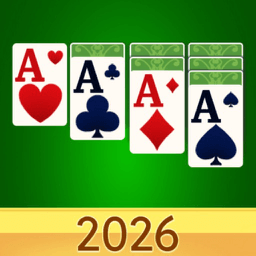
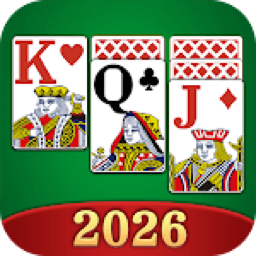
Solitaire Brain Training is a mobile application developed by KST GAMES, offering a classic Klondike Solitaire experience with a strong emphasis on brain training. It is particularly designed for seniors, incorporating features like large cards and an eye-care mode for enhanced usability, while remaining suitable for players of all ages. The app provides an engaging offline Journey Mode, allowing users to explore over 130 global landmarks.
What is Solitaire Brain Training?
"Solitaire Brain Training" is a mobile application that delivers the classic card game Klondike Solitaire. It is specifically designed with a focus on brain training, offering a relaxing yet stimulating experience. The application integrates features tailored to enhance usability, especially for seniors, while maintaining an appeal for a broad audience.
The application is published by KST GAMES, a developer known for creating digital gaming experiences. It functions as a digital version of the popular card game, aiming to provide mental stimulation through traditional solitaire gameplay.
Users can access "Solitaire Brain Training" exclusively through the Google Play store, where it is listed as "Solitaire - Brain Training." It is available for devices compatible with the Google Play platform, having been released on 2025-12-22 and last updated on 2026-06-09 to version 1.8.2.
Latest on Solitaire Brain Training
Is this the real Solitaire Brain Training app?
| Developer on Google Play | KST GAMES |
|---|---|
| Android package name | com.kst.games.solitaire |
| On the stores since | Dec 22, 2025 |
| Installs on Google Play | 10,000+ |
| Developer website | kstgames.com |
| Content rating | Google Play: Everyone |
These details come from the public store listings. LookedApp doesn't host downloads: install from the Google Play or App Store buttons on this page.
Key features
- Large card design with bold fonts and an eye-care color palette is implemented for enhanced visibility and player comfort during gameplay.
- A unique Journey Mode allows players to embark on a solitaire tour across 27 countries, unlocking over 130 real-world landmarks and collecting worldwide postcards.
- Advanced hints utilize a two-phase search mechanism to detect potential dead-ends, complemented by unlimited hints and undos for a user-friendly and frustration-free experience.
- The application supports offline play, enabling users to enjoy the classic Klondike mode anywhere and anytime, without requiring an internet connection.
- Players can build a trophy collection and complete various milestone challenges through a comprehensive achievement system, adding an extra layer of engagement.
- The game offers both Draw 1 and Draw 3 Klondike modes, providing flexibility in gameplay style to suit different preferences.
More Games & Learning reviews



More news
- GuideUnderstanding Streaming Subscription Costs: What Store Listings RevealMany popular streaming applications, though initially free, generate revenue via in-app purchases and subscription models, as detailed in store listings and LookedApp's reviews.
- GuideUnderstanding App Permissions and Privacy Sections on Store ListingsThis guide explains what app permission requests and privacy sections on store listings mean, using concrete examples from various applications and insights from LookedApp's reviews.
- RoundupLookedApp's Guide to Free Shopping Apps for Everyday BuysThis LookedApp roundup explores a selection of free-to-download shopping applications that cater to various everyday purchasing needs, providing convenience and value.

















Privacy and permissions
"Solitaire Brain Training" requests access to "Wi-Fi connection information" among its permission groups. This permission typically allows the application to view the status of Wi-Fi, such as whether Wi-Fi is enabled and connected to Wi-Fi device names.
The Google Play listing for "Solitaire - Brain Training" does not explicitly detail how any collected data might be used, shared, or stored. Information regarding specific data privacy practices beyond the requested permissions is not publicly stated by the developer.
KST GAMES publishes its privacy policy at kstgames.com.
Solitaire Brain Training permissions in plain English
The Google Play listing shows 1 permission group. Google Play also lists 6 other permissions, such as “view network connections”. That is about as many as most games & learning apps LookedApp reviews (typical: 1).
- Wi-Fi connection informationCan see Wi-Fi connection details
Permission names come from Google Play; the plain-English lines describe what each permission group allows, not how this app uses it.
Solitaire Brain Training at a glance
| Developer | KST GAMES |
|---|---|
| Category | Card |
| Rating on Google Play | 4.8 out of 5 (361 ratings) |
| Price | Free |
| Age rating | Everyone |
What changed in the latest Solitaire Brain Training version
Google Play · Listing updated Aug 12, 2026
The release notes are general and don't list specific changes:
“Bug fixes & Improvements.”
Quoted from the store listings' release notes.
Pricing
"Solitaire Brain Training" is available for installation at no cost on Google Play. This means users can acquire the core application without any initial purchase.
The Google Play listing does not specify any information about in-app purchases. Therefore, it appears the application offers its full experience without additional monetary transactions within the app.
Solitaire Brain Training compared with similar apps
| App | Rating | Installs | Price |
|---|---|---|---|
 Solitaire Brain Training Solitaire Brain Training | 4.8 | – | Free |
 Boddle Boddle | 4.5 | – | Free |
 Minecraft Minecraft | 4.3 | – | $6.99 |
 Desmos Graphing Calculator Desmos Graphing Calculator | 4.6 | – | Free |
Popular reviews
 Among Us reviewAmong Us is a social deduction game where players work together to prepare a spaceship for departure while identifying…Games & Learning
 Solitaire.com reviewSolitaire.com, developed by Tripledot Studios Limited, offers a classic Solitaire card game experience for mobile…Games & Learning
 Canvas Student reviewCanvas Student is an education application developed by Instructure, designed to help learners manage their academic…Games & Learning
 Google Classroom reviewGoogle Classroom serves as a digital platform designed to streamline educational processes for learners and…Games & Learning
 ClassDojo reviewClassDojo functions as a communication and learning platform designed to connect teachers, parents, and students. It…Games & Learning
 Type Sprint: Typing Games reviewType Sprint: Typing Games is an application designed for individuals seeking to engage with typing challenges in a game…Games & Learning
How to get Solitaire Brain Training safely
To ensure a reliable installation of "Solitaire Brain Training," prospective users should only obtain the application from its dedicated listing on Google Play. It is essential to confirm that the developer is KST GAMES, as indicated in the app's details.
Users are advised to avoid acquiring the application from alternative sources, such as third-party websites or unverified APK providers, as these versions may be compromised or contain unwanted software. Before proceeding with the installation, users should examine the permissions requested by the application, such as "Wi-Fi connection information," to understand the access it requires on their device.
How to install Solitaire Brain Training
On Android (Google Play)
- Open the Google Play Store app on your Android phone or tablet.
- Search for Solitaire Brain Training, or use the Google Play button on this page to open the listing directly.
- Check that the developer under the app name is KST GAMES.
- Check that your device meets the listing's requirement: Android 8.0 and up.
- Tap Install (or the price, for a paid app) and wait for the download to finish, then open the app from your home screen.
Solitaire Brain Training version and app details
| Google Play | |
|---|---|
| Last updated | Aug 12, 2026 |
| First released | Dec 22, 2025 |
| Package name | com.kst.games.solitaire |
| Requires | Android 8.0 and up |
| Content rating | Everyone |
| In-app purchases | No |
| Contains ads | Yes |
| Developer | KST GAMES |
Who Solitaire Brain Training is for
"Solitaire Brain Training" is primarily designed to appeal to seniors, offering features specifically tailored for this demographic, including large cards, bold fonts, and an eye-care color palette. The application aims to provide daily mental exercise, helping to keep minds sharp through engaging Klondike Solitaire gameplay.
Furthermore, its design makes it suitable for players of all ages who enjoy classic card games and are looking for a relaxing way to train their brain. The inclusion of unlimited hints and undos ensures that beginners and those seeking a less challenging experience can also enjoy the game without frustration. The unique Journey Mode adds an element of exploration that can captivate a wide range of users.
Solitaire Brain Training for kids and families
- Age rating: Google Play rates it Everyone.
- In-app purchases: Google Play: no.
- Ads: the Google Play listing says the app contains ads.
- Data safety (Google Play): The developer says the app may share these data types with third parties: App activity, App info and performance, and Device or other IDs. No data collected. Data is encrypted in transit. Data can't be deleted.
Store age ratings describe content, not whether an app suits a particular child. To limit downloads and purchases on a child's phone, see how to set up parental controls for app downloads.
Pros
- Offers a highly accessible design with large cards and an eye-care mode, beneficial for seniors and those with visual preferences.
- Includes an extensive Journey Mode featuring over 130 real-world landmarks and postcard collection, adding an engaging exploration element.
- Provides unlimited hints and undos, contributing to a user-friendly and frustration-free gameplay experience.
- Supports both Draw 1 and Draw 3 Klondike modes, catering to different traditional solitaire preferences.
- Allows for complete offline play, making it accessible in various environments without requiring an internet connection.
Cons
- The application is exclusively available on Google Play, limiting its accessibility to users of other mobile operating systems.
- Detailed information regarding data privacy practices beyond basic permissions is not explicitly outlined in the Google Play listing.
- While available at no cost, the listing does not specify if future content or features might involve in-app purchases.
- The focus is predominantly on Klondike Solitaire, which might offer less variety for users seeking other solitaire variants.
Solitaire Brain Training: frequently asked questions
Is Solitaire Brain Training available at no cost?
Yes, the application is available at no cost, according to its Google Play listing.
On which platforms can users find Solitaire Brain Training?
Solitaire Brain Training is exclusively available on Google Play.
Who is the developer responsible for Solitaire Brain Training?
The application is developed by KST GAMES.
What is the content rating for Solitaire Brain Training?
The content rating for the application is "Everyone."
Does Solitaire Brain Training require an internet connection to play?
No, the classic Klondike mode supports offline play, eliminating the need for an internet connection.
When was Solitaire Brain Training last updated and released?
The application was released on 2025-12-22 and was last updated on 2026-06-09 to version 1.8.2.
Solitaire Brain Training
- Category
- Card
- Version
- Varies with device
Download
Looking for the Solitaire Brain Training website or sign-in? Go to kstgames.com →The developer's website, as given on the store listing.
Solitaire Brain Training ratings breakdown
Google Play 4.8 average from 361 ratings
- 591%
- 46%
- 30%
- 20%
- 13%
Share of ratings for each star level, as shown on the listings, as of Aug 12, 2026.