YouTube
Photo & VideoScreenshots
Analysis by LookedApp · Published · Updated
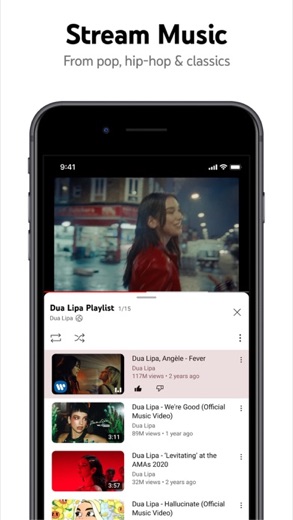
YouTube is a widely used mobile application for watching and sharing video content, provided by Google LLC. It offers a vast library of videos, from music to educational content, and enables users to connect with creators and their communities. The application caters to a broad audience, including casual viewers, content creators, and those interested in trending topics.
What is YouTube?
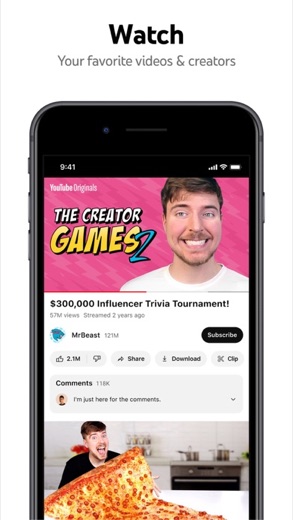
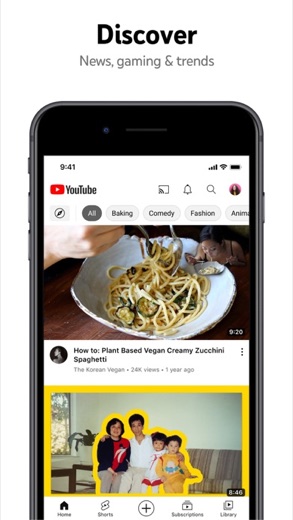
The YouTube application serves as a comprehensive platform for video consumption and creation. It allows individuals to access an extensive array of video content across numerous categories, including music, gaming, news, and educational materials, enabling users to explore trending videos, subscribe to preferred channels, and save content for later viewing.
This application is developed by Google LLC, listed as Google on the App Store. It functions as a central hub for various forms of video entertainment and information.
The YouTube application is widely available across major mobile platforms. Users can obtain it from Google Play for Android devices and the App Store for iPhones and iPads, ensuring broad accessibility.
Latest on YouTube
- GuideStreaming Apps and Your Data: Understanding PermissionsLookedApp examines the permissions popular streaming applications request and what their privacy policies indicate about user data handling.
- GuideUnderstanding Streaming Subscription Costs: What Store Listings RevealMany popular streaming applications, though initially free, generate revenue via in-app purchases and subscription models, as detailed in store listings and LookedApp's reviews.
- GuideUnderstanding App Permissions and Privacy Sections on Store ListingsThis guide explains what app permission requests and privacy sections on store listings mean, using concrete examples from various applications and insights from LookedApp's reviews.











Is this the real YouTube app?
- Verified publisher infoSame developer on Google Play and the App Store (Google LLC), and the developer website app.youtube.com matches the publisher.
- Established since 2010Listed since Oct 20, 2010, 10,000,000,000+ installs on Google Play.
| Developer on Google Play | Google LLC |
|---|---|
| Developer on the App Store | |
| Same developer on both stores | Yes |
| Android package name | com.google.android.youtube |
| iOS bundle ID | com.google.ios.youtube |
| On the stores since | Oct 20, 2010 |
| Installs on Google Play | 10,000,000,000+ |
| Developer website | app.youtube.com |
| Content rating | Google Play: Teen / App Store: 12+ |
These details come from the public store listings. LookedApp doesn't host downloads: install from the Google Play or App Store buttons on this page.
Key features
- Browse personal recommendations on the Home feed.
- View the latest content from preferred channels in the Subscriptions section.
- Access previously watched, liked, and saved videos in the Library.
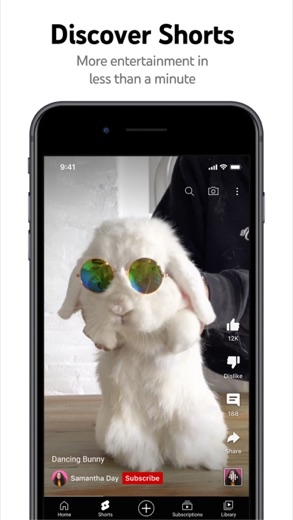
- Discover trending topics and popular content across categories like music, gaming, and news.
- Engage with creator communities through Posts, Stories, Premieres, and live streams.
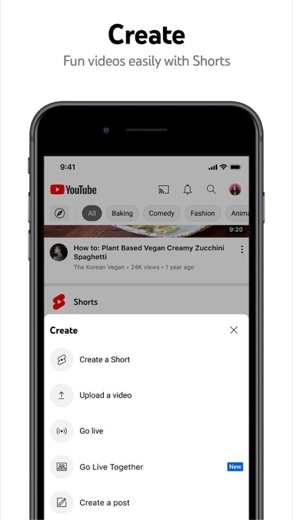
- Create and upload videos directly from a mobile device and host live streams.
- Support beloved creators through paid channel memberships that offer exclusive perks and loyalty badges.
- Upgrade to YouTube Premium for an ad-free viewing experience, background play, and offline video saving.
More Streaming, TV & News reviews


More news
- RoundupTop Free Sports Apps for Live Scores and StreamsLookedApp presents a roundup of eight free-to-download sports applications, providing real-time scores, streams, and comprehensive sports content to enthusiasts.
- RoundupLookedApp's Guide to Free Weather Apps: A Side-by-Side ReviewLookedApp explores eight leading weather applications available at no initial cost. This comparison details their features, costs, and target audiences to help users find the ideal tool for their needs.
- RoundupTop News Apps for Following the Headlines: A LookedApp RoundupLookedApp reviews a selection of news applications available at no cost, providing insights into their features, costs, and target audiences for staying informed on daily headlines.


















Privacy and permissions
On Android devices, the YouTube application requests access to several permission groups. These include Identity, Contacts, Location, Phone, Photos/Media/Files, Storage, Camera, Microphone, Wi-Fi connection information, and Device ID & call information. These permissions allow the app to function across various device features.
The App Store listing provides a link to a privacy policy, which outlines how user data is handled. However, specific details regarding data collection and usage beyond the broad category of privacy policy are not explicitly stated within the store descriptions themselves. Users are encouraged to review the provided privacy policy for comprehensive information.
Google publishes its privacy policy at www.google.com.
YouTube permissions in plain English
The Google Play listing shows 10 permission groups. Google Play also lists 13 other permissions, such as “view network connections”. That is more than most streaming, tv & news apps LookedApp reviews (typical: 5).
- CameraCan take photos and record video
- ContactsCan read your contacts
- Device ID & call informationCan read your device ID and call status
- IdentityCan find accounts on the device
- LocationCan use your precise location
- MicrophoneCan record audio
- PhoneCan read phone status or make calls
- Photos/Media/FilesCan read and change your photos, media and files
- StorageCan read and change files in shared storage
- Wi-Fi connection informationCan see Wi-Fi connection details
The App Store privacy label lists these data types:
- Used to track you: Contact Info, Identifiers
- Linked to you: Purchases, Financial Info, Location, Contact Info, Contacts, User Content, Search History, Browsing History, Identifiers, Usage Data, Diagnostics, Other Data
Permission names come from Google Play; the plain-English lines describe what each permission group allows, not how this app uses it.
YouTube at a glance
| Developer | |
|---|---|
| Category | Photo & Video |
| Rating on App Store | 4.7 out of 5 (49M ratings) |
| Rating on Google Play | 3.8 out of 5 (172M ratings) |
| Installs on Google Play | 10B+ |
| Price | Free |
| Age rating | 12+ |
What changed in the latest YouTube version
App Store · Version 21.41.5, released Oct 11, 2026
The release notes are general and don't list specific changes:
“We fixed the tubes that bring you videos – and some bugs too.”
Google Play · Listing updated Oct 13, 2026
The release notes say:
“For new features, look for in-product education & notifications sharing the feature and how to use it!”
Quoted from the store listings' release notes.
Pricing
The YouTube application is available at no cost on both Google Play ($0) and the App Store (Free). Despite being a complimentary download, the application includes in-app purchases. These primarily relate to paid services such as channel memberships, allowing users to support creators for exclusive benefits, and YouTube Premium.
YouTube Premium is a subscription service offering an ad-free viewing experience, background play, offline downloads, and access to YouTube Music Premium. For subscriptions via Apple, payment is charged to the App Store Account upon purchase and automatically renews unless turned off 24 hours prior to the period end. Account renewals are charged within 24 hours before the period ends, at the selected plan's rate. Users can manage subscriptions and auto-renewal in Account Settings.
YouTube compared with similar apps
| App | Rating | Installs | Price |
|---|---|---|---|
 YouTube YouTube | 3.8 | 10B+ | Free |
 Tubi Tubi | 4.9 | 100M+ | Free |
 YouTube Music YouTube Music | 4.5 | 5B+ | Free |
 Peacock TV Peacock TV | 4.7 | 50M+ | Free |
Popular reviews
 PBS reviewThe PBS app provides a streaming service for educational, cultural, and public affairs programming, offering access to…Streaming, TV & News
 Yahoo News reviewYahoo News is a news aggregation application developed by Yahoo, providing users with a personalized feed of stories…Streaming, TV & News
 Hulu reviewHulu is a comprehensive streaming application that provides a wide array of TV shows, movies, and exclusive Originals.…Streaming, TV & News
 Disney+ reviewDisney+ is a streaming service developed by Disney, offering a comprehensive collection of movies, series, and…Streaming, TV & News
 The Roku App (Official) reviewThe Roku App (Official) transforms a smartphone or tablet into a versatile remote control for Roku streaming devices…Streaming, TV & News
 Epic Games reviewThe Epic Games app functions as a companion tool for users within the Epic Ecosystem, focusing on communication and…Streaming, TV & News
How to get YouTube safely
To ensure safe acquisition, users should exclusively install the YouTube application from reputable app marketplaces: Google Play for Android devices and the App Store for iPhones and iPads. It is crucial to verify the developer is Google LLC (Google Play) or Google (App Store).
Users should avoid unofficial sources like third-party APK sites, which pose security risks and may contain malware or altered code. Before installation, reviewing the requested permissions, especially on Android, helps inform the user about the app's access to device features.
How to install YouTube
On Android (Google Play)
- Open the Google Play Store app on your Android phone or tablet.
- Search for YouTube, or use the Google Play button on this page to open the listing directly.
- Check that the developer under the app name is Google LLC.
- Tap Install (or the price, for a paid app) and wait for the download to finish, then open the app from your home screen.
- The listing shows in-app purchases, so review any purchase prompts before you confirm.
On iPhone and iPad (App Store)
- Open the App Store on your iPhone or iPad.
- Search for YouTube, or use the App Store button on this page to open the listing directly.
- Check that the developer under the app name is Google.
- Make sure your device has iOS 17.0 or later and about 369 MB of free space, as the listing states.
- Tap Get (or the price), confirm the download, then open the app from your home screen.
- The listing shows in-app purchases, so review any purchase prompts before you confirm.
YouTube version and app details
| Google Play | App Store | |
|---|---|---|
| Latest version | – | 21.41.5 |
| Last updated | Oct 13, 2026 | Oct 11, 2026 |
| First released | Oct 20, 2010 | Sep 11, 2012 |
| Package name | com.google.android.youtube | – |
| Bundle ID | – | com.google.ios.youtube |
| Requires | – | iOS 17.0 or later |
| Download size | – | 369 MB |
| Content rating | Teen (Diverse Content: Discretion Advised; Users Interact, In-App Purchases) | 12+ (Infrequent/Mild Cartoon or Fantasy Violence) |
| In-app purchases | Yes ($0.05 - $999.99 per item) | Yes |
| Contains ads | Yes | – |
| Languages | – | 71 (including English) |
| Developer | Google LLC |
Who YouTube is for
The YouTube application is designed for a diverse audience interested in watching, sharing, and creating video content, covering entertainment, news, and educational topics. It caters to content creators with tools for uploading and live streaming, and offers family-friendly options like the YouTube Kids app or parent-supervised experiences, making it adaptable for various household needs.
It is suitable for individuals seeking personalized content recommendations and those who wish to stay updated on trending videos and topics across various categories.
YouTube for kids and families
Pros
- Access to an extensive library of video content across diverse categories.
- Available on both major mobile platforms, Google Play and the App Store.
- Features personalized recommendations for content discovery.
- Includes tools for content creation and live streaming directly from a mobile device.
- Offers a premium subscription option for an ad-free and enhanced viewing experience.
Cons
- The application includes in-app purchases for additional features and subscriptions.
- Standard usage involves advertisements, unless a premium subscription is acquired.
- On Android, the app requests a broad range of permissions, including identity, contacts, and location.
- Some advanced features, like 'on the rise' sections or channel memberships, are available only in select countries.
YouTube: frequently asked questions
Is the YouTube app free to use?
Yes, the YouTube application is available at no cost on both Google Play and the App Store. However, it does include in-app purchases for premium features and subscriptions.
What devices can run the YouTube app?
The YouTube app is available on Android devices via Google Play and on iPhones and iPads via the App Store. The minimum iOS version required is 17.0.
Who developed the YouTube app?
The YouTube application is developed by Google LLC, listed as Google on the App Store.
How often is the YouTube app updated?
The YouTube app on Google Play was last updated on 2026-05-05, while the App Store version was updated on 2026-10-11.
What is the content rating for the YouTube app?
The YouTube app has a content rating of Teen on Google Play and 12+ on the App Store.
Does the YouTube app offer an ad-free experience?
Yes, users can upgrade to YouTube Premium, a subscription service, to watch videos uninterrupted by ads, among other benefits.
YouTube
- Category
- Photo & Video
- Version
- 21.41.5
Download
Looking for the YouTube website or sign-in? Go to app.youtube.com →The developer's website, as given on the store listing.
YouTube ratings breakdown
Google Play 3.8 average from 172,236,588 ratings
- 562%
- 47%
- 35%
- 25%
- 121%
App Store 4.7 average from 49,425,780 ratings
- 583%
- 49%
- 33%
- 21%
- 14%
Share of ratings for each star level, as shown on the listings, as of Oct 15, 2026.