YouTube Kids
EntertainmentScreenshots
Analysis by LookedApp · Published · Updated
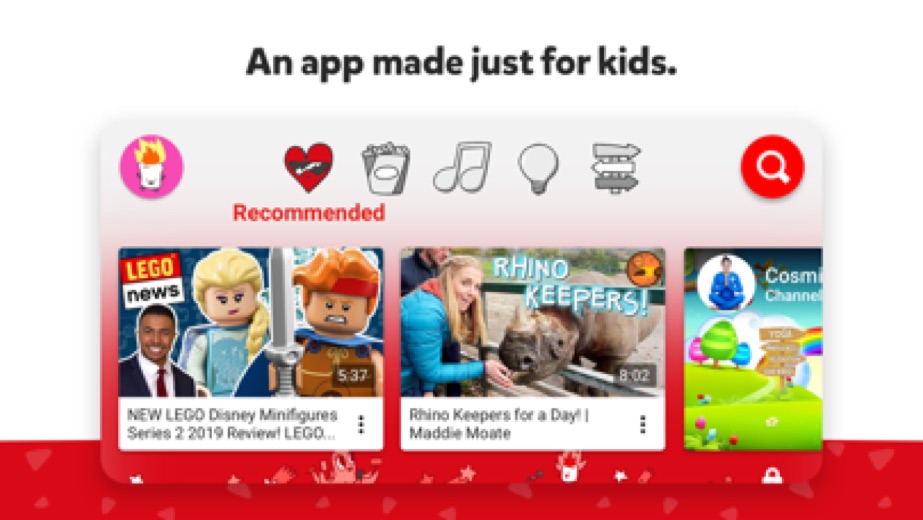
YouTube Kids is a dedicated application designed to help children explore video content in an environment curated for young viewers. It offers various parental controls to customize the viewing experience for different age groups, making it suitable for families seeking a managed video platform for their children. The application aims to inspire unique interests and build confidence in its users.
What is YouTube Kids?
YouTube Kids is an entertainment application developed by Google LLC. It serves as a specialized platform for children to discover video content tailored to their age and interests. The application is available for download on both Google Play and the App Store.
The application was released on the App Store on 2015-02-23 and on Google Play on 2015-11-17. It falls under the Entertainment category on both platforms. The content rating is listed as "Everyone" on Google Play and "4+" on the App Store, indicating its suitability for young audiences.
The application aims to help children uncover unique interests by providing an environment where they can explore videos they enjoy and that parents can trust. It includes easy navigation tools and a suite of features designed to support children in their online exploration, fostering imagination and confidence.
Latest on YouTube Kids
- GuideKids' Apps: What Parents Can Check Before InstallingThis guide provides parents with essential information to review a child-directed app's store listing. It covers key aspects such as content ratings, pricing structures, in-app purchases, and privacy practices, using examples from apps LookedApp covers.
- RoundupFree Streaming Apps Worth a Look: LookedApp's Top PicksLookedApp explores a selection of highly-rated, free-to-download streaming applications, providing diverse content from user-generated videos to premium movies and live sports. This guide helps readers understand what each app provides, its costs, and target audience to make an informed choice.










Is this the real YouTube Kids app?
- Verified publisher infoSame developer on Google Play and the App Store (Google LLC), and the developer website support.google.com matches the publisher.
- Established since 2015Listed since Feb 23, 2015, 500,000,000+ installs on Google Play.
| Developer on Google Play | Google LLC |
|---|---|
| Developer on the App Store | |
| Same developer on both stores | Yes |
| Android package name | com.google.android.apps.youtube.kids |
| iOS bundle ID | com.google.ios.youtubekids |
| On the stores since | Feb 23, 2015 |
| Installs on Google Play | 500,000,000+ |
| Developer website | support.google.com |
| Content rating | Google Play: Everyone / App Store: 4+ |
These details come from the public store listings. LookedApp doesn't host downloads: install from the Google Play or App Store buttons on this page.
Key features
- Parental setup is needed to ensure the best experience for families.
- Custom content filters allow for the personalization of individual profiles as children grow.
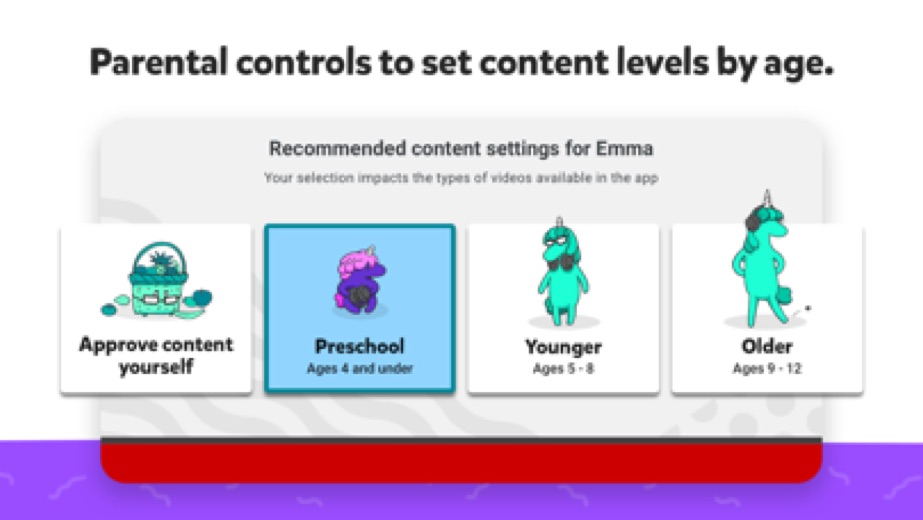
- A Preschool mode is available for the youngest children to learn their ABCs and nurture curiosity.
- A Younger mode expands children's interests to include songs, cartoons, or DIY crafts.
- An Older mode provides older children with the freedom to search popular music and gaming videos.
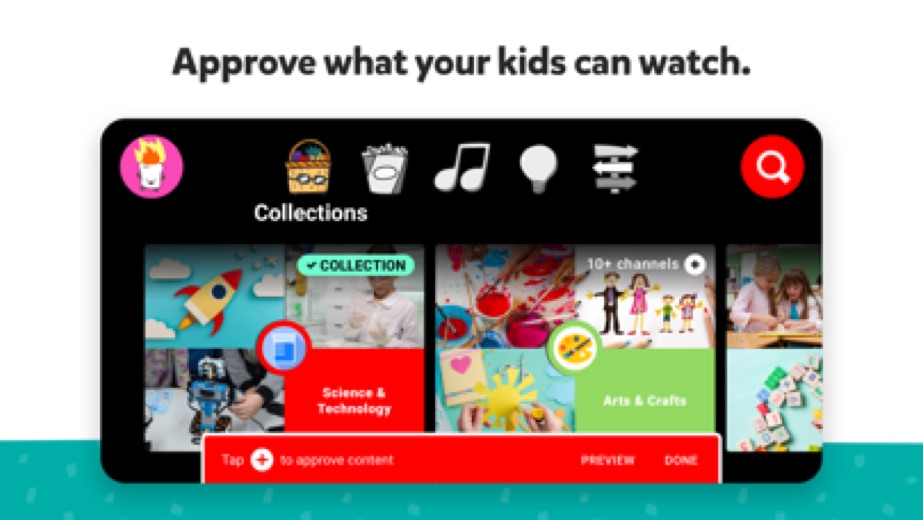
- The Approved Content Only mode enables parents to hand-pick the videos, channels, and collections their children can see.
- The Watch it Again tab helps users quickly find favorite videos and content shared with them.
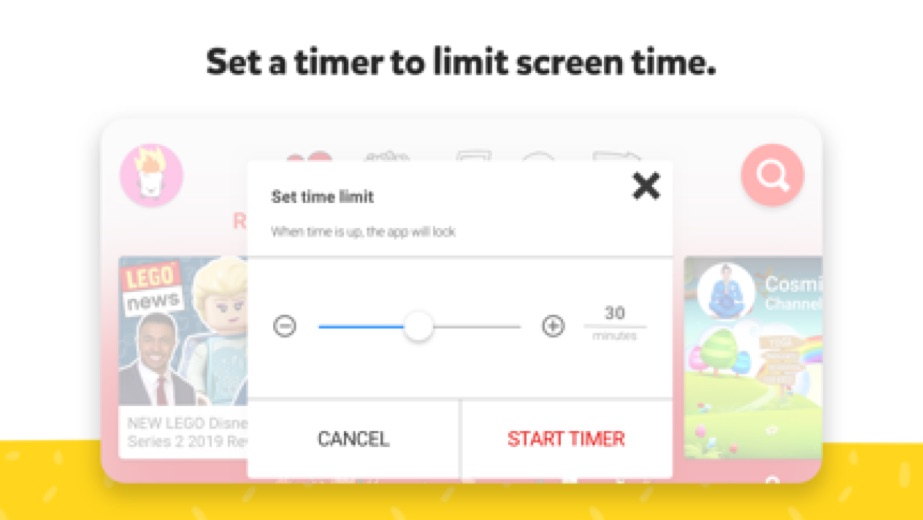
- A Timer feature allows parents to set screen-time limits, encouraging children to take breaks.
More Streaming, TV & News reviews




More news
- GuideHow to Read App Ratings on Google Play and the App StoreUnderstanding app ratings on Google Play and the App Store can help users make informed decisions. This guide explores how star ratings and rating counts appear and highlights why the same app might show different ratings on each platform.
- GuideUnderstanding Streaming Subscription Costs: What Store Listings RevealMany popular streaming applications, though initially free, generate revenue via in-app purchases and subscription models, as detailed in store listings and LookedApp's reviews.
- GuideUnderstanding App Permissions and Privacy Sections on Store ListingsThis guide explains what app permission requests and privacy sections on store listings mean, using concrete examples from various applications and insights from LookedApp's reviews.












Privacy and permissions
On Google Play, the application requests several permission groups, including Identity, Contacts, Photos/Media/Files, Storage, Microphone, and Wi-Fi connection information. These permissions allow the application to access certain functionalities on the device.
For privacy practices, the developer states that if children use the application without signing in with their Google Account, the YouTube Kids Privacy Notice applies. For Google Accounts managed with Family Link, the Privacy Notice for Google Accounts managed with Family Link is applicable, providing information on privacy practices when signing in with a Google Account. The store listing does not state specific data collection practices beyond these notices.
Google publishes its privacy policy at www.google.com.
YouTube Kids permissions in plain English
The Google Play listing shows 6 permission groups. Google Play also lists 7 other permissions, such as “view network connections”. That is more than most streaming, tv & news apps LookedApp reviews (typical: 5).
- ContactsCan read your contacts
- IdentityCan find accounts on the device
- MicrophoneCan record audio
- Photos/Media/FilesCan read and change your photos, media and files
- StorageCan read and change files in shared storage
- Wi-Fi connection informationCan see Wi-Fi connection details
The App Store privacy label lists these data types:
- Linked to you: Location, Contact Info, User Content, Search History, Identifiers, Usage Data, Diagnostics
- Not linked to you: User Content, Other Data
Permission names come from Google Play; the plain-English lines describe what each permission group allows, not how this app uses it.
YouTube Kids at a glance
| Developer | |
|---|---|
| Category | Entertainment |
| Rating on App Store | 4.6 out of 5 (2.7M ratings) |
| Rating on Google Play | 4.2 out of 5 (3.4M ratings) |
| Installs on Google Play | 500M+ |
| Price | Free |
| Age rating | 4+ |
What changed in the latest YouTube Kids version
App Store and Google Play · Version 11.41.945, released Oct 12, 2026; Google Play listing updated Oct 12, 2026
The release notes are general and don't list specific changes:
“Bug fixes and stability improvements”
Quoted from the store listings' release notes.
Pricing
YouTube Kids is available without charge on both Google Play and the App Store. The Google Play listing specifies a price of 0, and the App Store listing indicates "Free".
The application description notes that children may see commercial content from YouTube creators that are not paid advertisements. The store listings do not mention any in-app purchases.
YouTube Kids compared with similar apps
| App | Rating | Installs | Price |
|---|---|---|---|
 YouTube Kids YouTube Kids | 4.2 | 500M+ | Free |
 YouTube YouTube | 3.8 | 10B+ | Free |
 Tubi Tubi | 4.9 | 100M+ | Free |
 YouTube Music YouTube Music | 4.5 | 5B+ | Free |
Popular reviews
 PBS reviewThe PBS app provides a streaming service for educational, cultural, and public affairs programming, offering access to…Streaming, TV & News
 Yahoo News reviewYahoo News is a news aggregation application developed by Yahoo, providing users with a personalized feed of stories…Streaming, TV & News
 Hulu reviewHulu is a comprehensive streaming application that provides a wide array of TV shows, movies, and exclusive Originals.…Streaming, TV & News
 Disney+ reviewDisney+ is a streaming service developed by Disney, offering a comprehensive collection of movies, series, and…Streaming, TV & News
 The Roku App (Official) reviewThe Roku App (Official) transforms a smartphone or tablet into a versatile remote control for Roku streaming devices…Streaming, TV & News
 Epic Games reviewThe Epic Games app functions as a companion tool for users within the Epic Ecosystem, focusing on communication and…Streaming, TV & News
How to get YouTube Kids safely
To acquire YouTube Kids safely, users should only obtain the application from reputable sources such as Google Play or the App Store. It is crucial to verify that the developer listed is Google LLC for Google Play or Google for the App Store to ensure authenticity.
Users should exercise caution and avoid downloading the application from unofficial sources, such as APK mirrors or websites offering modified versions, as these may pose security risks. Before installation, it is advisable to review the permissions requested by the application, such as Identity, Contacts, and Microphone, to understand what device access it requires.
How to install YouTube Kids
On Android (Google Play)
- Open the Google Play Store app on your Android phone or tablet.
- Search for YouTube Kids, or use the Google Play button on this page to open the listing directly.
- Check that the developer under the app name is Google LLC.
- Tap Install (or the price, for a paid app) and wait for the download to finish, then open the app from your home screen.
On iPhone and iPad (App Store)
- Open the App Store on your iPhone or iPad.
- Search for YouTube Kids, or use the App Store button on this page to open the listing directly.
- Check that the developer under the app name is Google.
- Make sure your device has iOS 16.0 or later and about 209 MB of free space, as the listing states.
- Tap Get (or the price), confirm the download, then open the app from your home screen.
YouTube Kids version and app details
| Google Play | App Store | |
|---|---|---|
| Latest version | – | 11.41.945 |
| Last updated | Oct 12, 2026 | Oct 12, 2026 |
| First released | Feb 23, 2015 | Feb 23, 2015 |
| Package name | com.google.android.apps.youtube.kids | – |
| Bundle ID | – | com.google.ios.youtubekids |
| Requires | – | iOS 16.0 or later |
| Download size | – | 209 MB |
| Content rating | Everyone | 4+ |
| In-app purchases | No | – |
| Contains ads | Yes | – |
| Languages | – | 71 (including English) |
| Developer | Google LLC |
Who YouTube Kids is for
YouTube Kids is designed for families with young children who are looking for a controlled and age-appropriate video viewing experience. It caters to a range of ages through its customizable content filters, allowing parents to tailor the content to preschoolers, younger children, or older children.
The application is particularly beneficial for parents who wish to supervise their children's online video consumption. With features like screen-time limits and content approval modes, it provides tools for parents to guide their children's exploration of video content and foster their unique interests in a managed environment.
YouTube Kids for kids and families
- Age rating: Google Play rates it Everyone; the App Store rates it 4+.
- In-app purchases: Google Play: no.
- Ads: the Google Play listing says the app contains ads.
- Data safety (Google Play): The developer says the app may collect Location, Personal info and 4 others. No data shared with third parties. Data is encrypted in transit. You can request that data be deleted. Committed to follow the Play Families Policy.
Store age ratings describe content, not whether an app suits a particular child. To limit downloads and purchases on a child's phone, see how to set up parental controls for app downloads.
Pros
- Provides a curated and dedicated video platform for children.
- Offers extensive parental controls, including content filters and screen-time limits.
- Available without charge on major mobile platforms.
- Catapults content to different age groups through specific viewing modes.
- Allows parents to hand-pick content with an Approved Content Only mode.
Cons
- Requires parental setup for full experience and customization.
- Children may be exposed to commercial content from creators.
- The iOS version has a size of 219 MB, which may consume significant storage.
- The Android version requests permissions such as Identity and Contacts.
YouTube Kids: frequently asked questions
Is YouTube Kids available without charge?
Yes, YouTube Kids is available without charge on both Google Play and the App Store.
On which devices can YouTube Kids be used?
YouTube Kids is available on devices that support Google Play and the App Store.
Who developed YouTube Kids?
YouTube Kids was developed by Google LLC, listed as Google on the App Store.
When was YouTube Kids released?
YouTube Kids was released on the App Store on 2015-02-23 and on Google Play on 2015-11-17.
What kind of content can children watch on YouTube Kids?
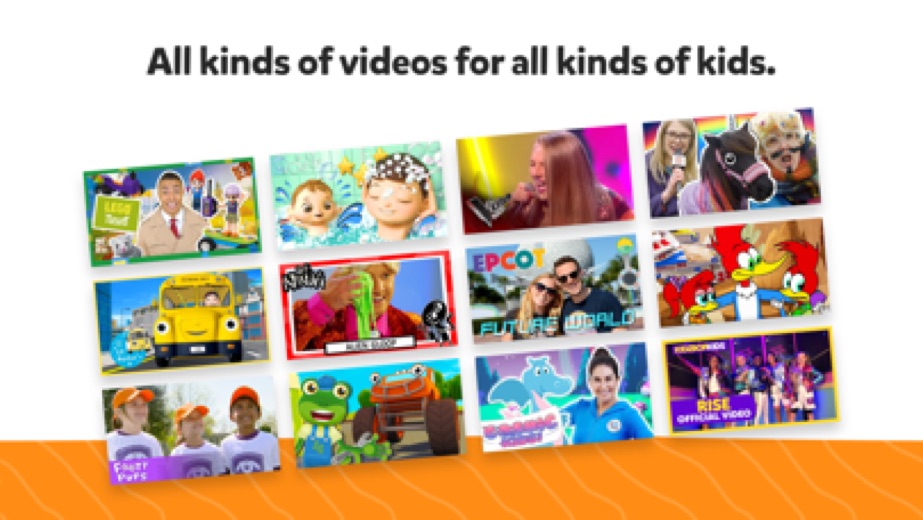
Children can watch a variety of content tailored to different age groups, including educational videos, songs, cartoons, DIY crafts, popular music, and gaming videos, depending on the parental settings.
Does YouTube Kids have parental controls?
Yes, YouTube Kids includes several parental control features such as customizable content filters, age-specific modes, an Approved Content Only mode, and a Timer feature for screen-time limits.
YouTube Kids
- Category
- Entertainment
- Version
- 11.41.945
Download
Looking for the YouTube Kids website or sign-in? Go to support.google.com →The developer's website, as given on the store listing.
YouTube Kids ratings breakdown
Google Play 4.2 average from 3,422,193 ratings
- 569%
- 410%
- 35%
- 23%
- 112%
App Store 4.6 average from 2,698,685 ratings
- 581%
- 410%
- 34%
- 22%
- 13%
Share of ratings for each star level, as shown on the listings, as of Oct 14, 2026.