
ComEd
UtilitiesScreenshots
Analysis by LookedApp · Published · Updated
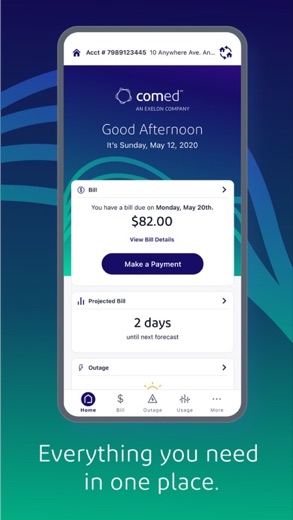
The ComEd app provides a dedicated platform for residential and business customers to manage their electricity accounts. It enables users to handle billing, monitor outages, and access usage information directly from their mobile devices. The app aims to offer convenience for ComEd customers requiring on-the-go account management.
What is ComEd?
The ComEd app serves as a mobile tool for customers of ComEd, an electric utility company. It is designed to provide convenient access to account information and essential services. Users can perform various tasks related to their electricity service, such as reviewing bills and managing service settings.
The application is published by An Exelon Corporation, the developer listed for the app. This allows customers to interact directly with their utility provider's services through a dedicated mobile interface rather than relying solely on web browsers.
The ComEd app is available for download on both Google Play and the App Store. On the App Store, it is listed under the name 'ComEd - An Exelon Company' in the Utilities category. It has a rating of 4.7 based on 144.7K ratings and a content rating of 4+. The current version is 26.4.2, last updated on 2026-10-01, and was released on 2012-04-23. The app size is 172 MB and it supports 1 language, requiring iOS 17.0 or later.
Latest on ComEd
Is this the real ComEd app?
- Verified publisher infoSame developer on Google Play and the App Store (An Exelon Company), and the developer website comed.com matches the publisher.
- Established since 2012Listed since Apr 18, 2012, 1,000,000+ installs on Google Play.
| Developer on Google Play | An Exelon Company |
|---|---|
| Developer on the App Store | An Exelon Corporation |
| Same developer on both stores | Yes |
| Android package name | com.comed.mobile |
| iOS bundle ID | com.iphoneproduction.exelon |
| On the stores since | Apr 18, 2012 |
| Installs on Google Play | 1,000,000+ |
| Developer website | comed.com |
| Content rating | Google Play: Everyone / App Store: 4+ |
These details come from the public store listings. LookedApp doesn't host downloads: install from the Google Play or App Store buttons on this page.
Key features
- Users can open their account with fingerprint authentication or a saved session.
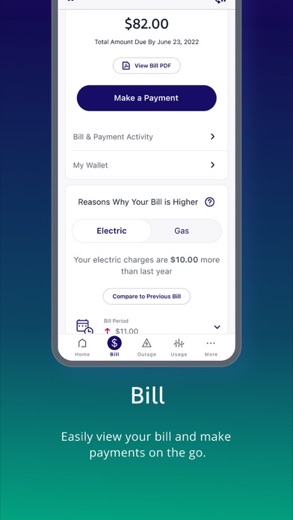
- The app allows for effortlessly paying bills and viewing comprehensive bill details.
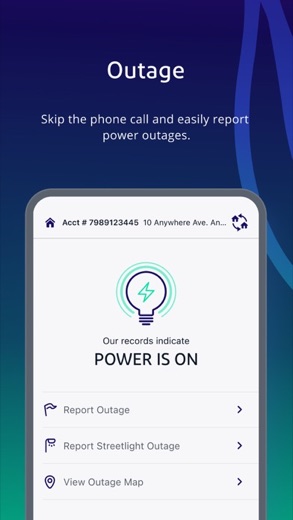
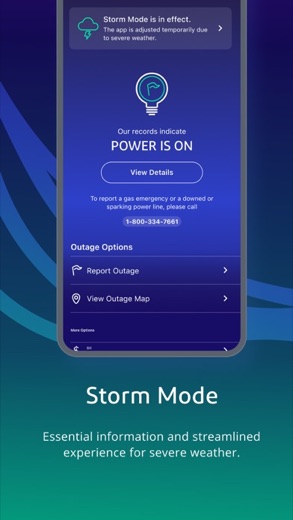
- Customers can report an outage directly through the app and check the restoration status.
- An outage map is available for viewing, alongside account activity and current balance.
- Settings for AutoPay and Budget Billing can be managed within the application.
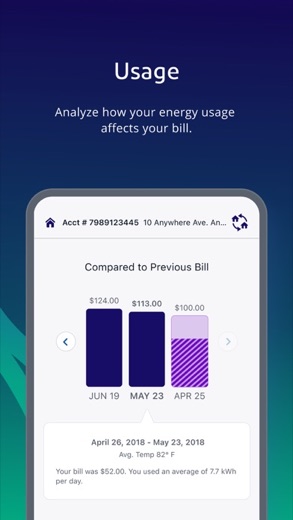
- Usage data and trends, as well as bill comparisons and forecasts, are accessible to users.
- Alerts can be set up for outage status updates, bill readiness notifications, and payment reminders.
- Participants in the Hourly Pricing program can view hourly pricing information through the app.
More Tools & Utilities reviews




More news
- RoundupLookedApp's Guide to Free Weather Apps: A Side-by-Side ReviewLookedApp explores eight leading weather applications available at no initial cost. This comparison details their features, costs, and target audiences to help users find the ideal tool for their needs.
- RoundupTop News Apps for Following the Headlines: A LookedApp RoundupLookedApp reviews a selection of news applications available at no cost, providing insights into their features, costs, and target audiences for staying informed on daily headlines.
- RoundupFree Mobile Games with Big Followings: A LookedApp RoundupLookedApp explores eight free-to-download mobile games that boast significant player communities and provide diverse experiences, from creative platforms to competitive sports simulations.


















Privacy and permissions
The App Store listing for the ComEd app does not provide specific details regarding the permissions requested by the application upon installation. Information about how the app handles user data, including data collection, storage, and sharing practices, is not stated in the App Store listing.
The developer does not explicitly state data encryption practices or data retention policies within the App Store listing. Users seeking detailed privacy information may need to consult the developer's privacy policy outside of the App Store description.
ComEd permissions in plain English
The Google Play listing shows 6 permission groups. Google Play also lists 6 other permissions, such as “view network connections”. That is more than most tools & utilities apps LookedApp reviews (typical: 5).
- CameraCan take photos and record video
- LocationCan use your precise location
- PhoneCan read phone status or make calls
- Photos/Media/FilesCan read and change your photos, media and files
- StorageCan read and change files in shared storage
- Wi-Fi connection informationCan see Wi-Fi connection details
Permission names come from Google Play; the plain-English lines describe what each permission group allows, not how this app uses it.
ComEd at a glance
| Developer | An Exelon Corporation |
|---|---|
| Category | Utilities |
| Rating on App Store | 4.7 out of 5 (146K ratings) |
| Rating on Google Play | 4.0 out of 5 (16K ratings) |
| Installs on Google Play | 1M+ |
| Price | Free |
| Age rating | 4+ |
What changed in the latest ComEd version
App Store · Version 26.4.3, released Oct 14, 2026
The release notes say:
“We're regularly updating our app to make it even better! Make sure to download the latest version to take advantage of it all.”
Google Play · Listing updated Sep 30, 2026
The release notes say:
“"We're regularly updating our app to make it even better! Make sure to download the latest version to take advantage of it all."”
Quoted from the store listings' release notes.
Pricing
The ComEd app is listed as 'Free' on the App Store. This means there is no initial cost associated with downloading and installing the application onto a compatible device.
The App Store listing does not state any information about in-app purchases or subscription models within the ComEd app. All listed functionalities appear to be included with the no-cost download.
ComEd compared with similar apps
| App | Rating | Installs | Price |
|---|---|---|---|
 ComEd ComEd | 4.7 | 1M+ | Free |
 Google Play Store Google Play Store | – | – | Free |
 MapQuest MapQuest | 4.4 | 10M+ | Free |
 Speedtest by Ookla Speedtest by Ookla | 4.6 | 100M+ | Free |
Popular reviews
 Whitepages reviewThe Whitepages app is designed for users seeking to find people and information related to contacts. It serves as a…Tools & Utilities
 Currency Converter Offline reviewCurrency Converter Offline is an application designed for converting global currencies, notably featuring offline…Tools & Utilities
 Weather Forecast - Live Radar reviewWeather Forecast - Live Radar is an application developed by KUCO Apps, designed to provide users with weather…Tools & Utilities
 Medal reviewMedal is an application designed for gamers to capture, view, and share their gameplay moments from both PC and mobile…Tools & Utilities
 Calculator: Simple Calculator reviewCalculator: Simple Calculator is a basic utility application developed by Efficient Tools, designed for users seeking a…Tools & Utilities
 Logo Maker And Logo Creator 3D reviewLogo Maker And Logo Creator 3D is an application by developer Firehawk, designed for users seeking to create logos with…Tools & Utilities
How to get ComEd safely
To ensure the integrity and expected functionality of the ComEd app, individuals should only obtain it from reputable sources such as the App Store for iOS devices or Google Play for Android devices. Downloading applications from these platforms helps in receiving the legitimate version of the software.
Before installation, it is advisable to verify that the app's developer is 'An Exelon Corporation', as stated in the store listings. This helps confirm that the application is from the intended provider. Users should exercise caution and avoid downloading the app from unofficial websites or third-party repositories, which may offer altered or outdated versions. Reviewing any requested permissions before completing the installation process is also a recommended practice, although specific permissions are not detailed in the App Store listing.
How to install ComEd
On Android (Google Play)
- Open the Google Play Store app on your Android phone or tablet.
- Search for ComEd, or use the Google Play button on this page to open the listing directly.
- Check that the developer under the app name is An Exelon Company.
- Check that your device meets the listing's requirement: Android 7.0 and up.
- Tap Install (or the price, for a paid app) and wait for the download to finish, then open the app from your home screen.
On iPhone and iPad (App Store)
- Open the App Store on your iPhone or iPad.
- Search for ComEd, or use the App Store button on this page to open the listing directly.
- Check that the developer under the app name is An Exelon Corporation.
- Make sure your device has iOS 17.0 or later and about 164 MB of free space, as the listing states.
- Tap Get (or the price), confirm the download, then open the app from your home screen.
ComEd version and app details
| Google Play | App Store | |
|---|---|---|
| Latest version | – | 26.4.3 |
| Last updated | Sep 30, 2026 | Oct 14, 2026 |
| First released | Apr 18, 2012 | Apr 23, 2012 |
| Package name | com.comed.mobile | – |
| Bundle ID | – | com.iphoneproduction.exelon |
| Requires | Android 7.0 and up | iOS 17.0 or later |
| Download size | – | 164 MB |
| Content rating | Everyone | 4+ |
| In-app purchases | No | – |
| Contains ads | No | – |
| Languages | – | 1 (including English) |
| Developer | An Exelon Company | An Exelon Corporation |
Who ComEd is for
The ComEd app is designed for individuals and businesses who are customers of ComEd and require a convenient way to manage their electricity accounts. It caters to those who wish to access billing information, monitor energy usage, and stay informed about service status directly from their mobile devices.
With a content rating of 4+, the app is suitable for a broad audience. It benefits users who need to quickly report outages, check their restoration status, or manage payment settings without needing to access a desktop computer or make phone calls. Both residential and business customers can utilize the app's features.
ComEd for kids and families
Pros
- Offers comprehensive account management for ComEd customers.
- Provides convenient outage reporting and real-time status tracking.
- Accessible to both residential and business account holders.
- Includes features for tracking usage data, trends, and bill forecasts.
- Supports customizable alerts for various account activities and service updates.
Cons
- Detailed privacy practices, such as data collection and sharing, are not explicitly stated in the App Store listing.
- The App Store listing does not state any information regarding potential in-app purchases.
- Requires iOS 17.0 or later, which may exclude users with older Apple devices.
- The App Store listing indicates support for only 1 language.
ComEd: frequently asked questions
Is the ComEd app free?
Yes, the ComEd app is listed as 'Free' on the App Store.
On which devices can the ComEd app be used?
The ComEd app is available on devices running iOS 17.0 or later from the App Store, and also on Google Play.
Who developed the ComEd app?
The ComEd app was developed by An Exelon Corporation.
When was the ComEd app last updated?
The ComEd app was last updated on 2026-10-01.
What is the app's content rating?
The app has a content rating of 4+.
Can business customers use the app?
Yes, the app is available to both residential and business customers.
ComEd
- Category
- Utilities
- Version
- 26.4.3
Download
Looking for the ComEd website or sign-in? Go to comed.com →The developer's website, as given on the store listing.
ComEd ratings breakdown
Google Play 4.0 average from 16,333 ratings
- 564%
- 410%
- 34%
- 24%
- 119%
App Store 4.7 average from 145,617 ratings
- 586%
- 46%
- 32%
- 21%
- 15%
Share of ratings for each star level, as shown on the listings, as of Oct 15, 2026.








































