MyChart
MedicalScreenshots
Analysis by LookedApp · Published
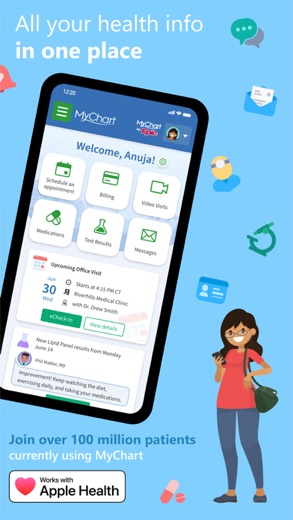
MyChart is an application designed to provide users with direct access to their personal health information and communication tools for their healthcare providers. It is suitable for individuals who are patients of participating healthcare organizations and seek a convenient way to manage appointments, review medical records, and handle billing.
What is MyChart?
MyChart serves as a digital platform that places health information directly into the hands of its users. The application is developed to help individuals manage their own medical care, as well as the care of their family members. It acts as a central hub for various health-related tasks and information.
The application is developed by Epic Systems Corporation, a company known for its healthcare software solutions. The developer is listed as Epic Systems Corporation on Google Play and Epic on the App Store.
MyChart is widely accessible and can be obtained from major application marketplaces. It is available for download on both the Google Play store for Android devices and the App Store for iOS devices.
Latest on MyChart
Is this the real MyChart app?
- Verified publisher infoSame developer on Google Play and the App Store (Epic Systems Corporation), and the developer website epic.com matches the publisher.
- Established since 2010Listed since Sep 14, 2010, 10,000,000+ installs on Google Play.
| Developer on Google Play | Epic Systems Corporation |
|---|---|
| Developer on the App Store | Epic |
| Same developer on both stores | Yes |
| Android package name | epic.mychart.android |
| iOS bundle ID | com.epic.mychart |
| On the stores since | Sep 14, 2010 |
| Installs on Google Play | 10,000,000+ |
| Developer website | epic.com |
| Content rating | Google Play: Everyone / App Store: 17+ |
These details come from the public store listings. LookedApp doesn't host downloads: install from the Google Play or App Store buttons on this page.
Key features
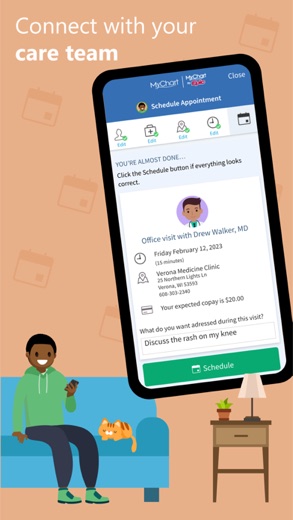
- Users have the capability to communicate with their care team directly through the application.
- The application enables individuals to review test results, current medications, and their immunization history.
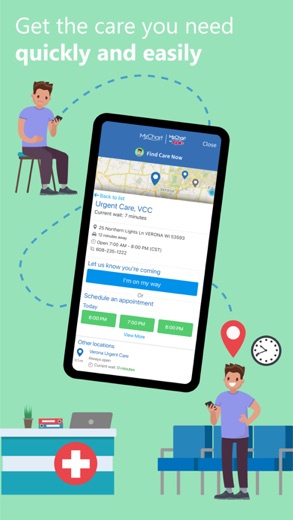
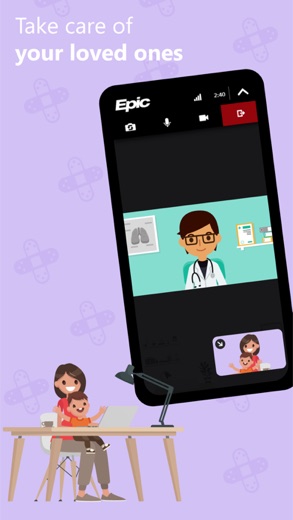
- Users can schedule and manage various appointments, including both in-person visits and video consultations.
- The application allows for the viewing and payment of medical bills.
- It provides users with price estimates for the cost of healthcare services.
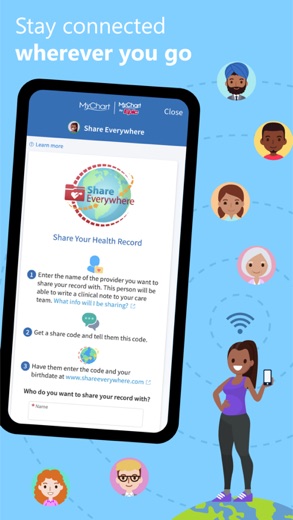
- MyChart offers the functionality to share medical records with individuals who have internet access.
More Tools & Utilities reviews




More news
- GuideIn-App Purchases and Subscriptions: Reading the Price LineUnderstanding the different pricing models for mobile applications, from no initial cost to up-front purchases, helps users navigate the digital marketplace effectively. This guide explains how to interpret price lines and pricing sections on app store listings.
- GuideUnderstanding Shopping Apps: Permissions, Payments, and Safe InstallationShopping applications provide convenience, but understanding their permissions, payment structures, and how to install them safely is crucial for user privacy and device security.
- RoundupTop Free Sports Apps for Live Scores and StreamsLookedApp presents a roundup of eight free-to-download sports applications, providing real-time scores, streams, and comprehensive sports content to enthusiasts.


















Privacy and permissions
On the Google Play listing, MyChart indicates that it may request certain permissions from the user's device. These permissions include access to Location, Phone, Photos/Media/Files, Storage, Camera, and Microphone.
The App Store listing for MyChart does not explicitly detail specific permissions requested by the application. Information regarding data collection and usage practices would typically be found in the developer's privacy policy or on their website, which is listed as www.epic.com.
Epic publishes its privacy policy at www.epic.com.
MyChart permissions in plain English
The Google Play listing shows 6 permission groups. Google Play also lists 9 other permissions, such as “view network connections”. That is more than most tools & utilities apps LookedApp reviews (typical: 5).
- CameraCan take photos and record video
- LocationCan use your precise location
- MicrophoneCan record audio
- PhoneCan read phone status or make calls
- Photos/Media/FilesCan read and change your photos, media and files
- StorageCan read and change files in shared storage
Permission names come from Google Play; the plain-English lines describe what each permission group allows, not how this app uses it.
MyChart at a glance
| Developer | Epic |
|---|---|
| Category | Medical |
| Rating on App Store | 4.6 out of 5 (728K ratings) |
| Rating on Google Play | 4.5 out of 5 (289K ratings) |
| Installs on Google Play | 10M+ |
| Price | Free |
| Age rating | 17+ |
What changed in the latest MyChart version
App Store · Version 11.9.3, released Sep 21, 2026
The release notes say:
“You can now sync sleep data from Apple Health. Your visits list and the visit details page now match the experience on the MyChart website, so it's easier to filter your visits, join a video visit, complete eCheck-In, and reschedule your appointments. The visit details page now shows the minimum prepay amount and due date for visits that require one.”
Google Play · Listing updated Sep 16, 2026
The release notes say:
“You can now sync sleep data from Google Health Connect. Your visits list and the visit details page now match the experience on the MyChart website, so it's easier to filter your visits, join a video visit, complete eCheck-In, and reschedule your appointments. The visit details page now shows the minimum prepay amount and due date for visits that require one.”
Quoted from the store listings' release notes.
Pricing
The MyChart application is available at no cost to users. The Google Play listing specifies a price of $0 for the application.
Similarly, on the App Store, the application's price is indicated as "Free". Neither the Google Play nor the App Store listings mention any in-app purchases associated with MyChart.
MyChart compared with similar apps
| App | Rating | Installs | Price |
|---|---|---|---|
 MyChart MyChart | 4.6 | 10M+ | Free |
 Google Play Store Google Play Store | – | – | Free |
 MapQuest MapQuest | 4.4 | 10M+ | Free |
 Speedtest by Ookla Speedtest by Ookla | 4.6 | 100M+ | Free |
Popular reviews
 Currency Converter Offline reviewCurrency Converter Offline is an application designed for converting global currencies, notably featuring offline…Tools & Utilities
 Weather Forecast - Live Radar reviewWeather Forecast - Live Radar is an application developed by KUCO Apps, designed to provide users with weather…Tools & Utilities
 Medal reviewMedal is an application designed for gamers to capture, view, and share their gameplay moments from both PC and mobile…Tools & Utilities
 Calculator: Simple Calculator reviewCalculator: Simple Calculator is a basic utility application developed by Efficient Tools, designed for users seeking a…Tools & Utilities
 ComEd reviewThe ComEd app provides a dedicated platform for residential and business customers to manage their electricity…Tools & Utilities
 Logo Maker And Logo Creator 3D reviewLogo Maker And Logo Creator 3D is an application by developer Firehawk, designed for users seeking to create logos with…Tools & Utilities
How to get MyChart safely
To ensure a safe installation, users should only obtain MyChart from reputable sources like the Google Play store or the App Store. It is important to verify that the developer is correctly identified as Epic Systems Corporation on Google Play or Epic on the App Store before proceeding with any installation.
Individuals should exercise caution and avoid downloading the application from unofficial channels, such as third-party websites offering APK files or modified versions. Before installation, it is advisable for users to review the permissions the application requests on their device to understand the access it will have.
How to install MyChart
On Android (Google Play)
- Open the Google Play Store app on your Android phone or tablet.
- Search for MyChart, or use the Google Play button on this page to open the listing directly.
- Check that the developer under the app name is Epic Systems Corporation.
- Check that your device meets the listing's requirement: Android 11 and up.
- Tap Install (or the price, for a paid app) and wait for the download to finish, then open the app from your home screen.
On iPhone and iPad (App Store)
- Open the App Store on your iPhone or iPad.
- Search for MyChart, or use the App Store button on this page to open the listing directly.
- Check that the developer under the app name is Epic.
- Make sure your device has iOS 18.0 or later and about 125 MB of free space, as the listing states.
- Tap Get (or the price), confirm the download, then open the app from your home screen.
MyChart version and app details
| Google Play | App Store | |
|---|---|---|
| Latest version | – | 11.9.3 |
| Last updated | Sep 16, 2026 | Sep 21, 2026 |
| First released | Oct 31, 2011 | Sep 14, 2010 |
| Package name | epic.mychart.android | – |
| Bundle ID | – | com.epic.mychart |
| Requires | Android 11 and up | iOS 18.0 or later |
| Download size | – | 125 MB |
| Content rating | Everyone (Users Interact) | 17+ (Frequent/Intense Medical/Treatment Information) |
| In-app purchases | No | – |
| Contains ads | No | – |
| Languages | – | 13 (including English) |
| Developer | Epic Systems Corporation | Epic |
Who MyChart is for
MyChart is primarily intended for individuals who are patients of healthcare organizations that utilize Epic software for their electronic health records. It is particularly beneficial for those who seek a convenient, centralized platform to manage their personal health information, engage with their healthcare providers, and handle administrative aspects of their medical care, such as scheduling appointments and viewing billing statements.
The application also caters to family members or caregivers who manage the health affairs of others, as it supports viewing and managing health information for multiple individuals. The Google Play listing rates the content as suitable for "Everyone", while the App Store listing provides a content rating of "17+". The developer does not indicate that MyChart is specifically designed for a kids audience, and if used by minors, adult supervision may be advisable depending on the content rating.
MyChart for kids and families
Pros
- Provides a centralized hub for all personal health information and medical records.
- Facilitates direct communication with healthcare providers and care teams.
- Offers convenient scheduling and management for both in-person and video appointments.
- Allows users to manage and pay their medical bills directly within the application.
- Provides estimated costs for healthcare services, aiding in financial planning.
Cons
- The availability of specific features within the application is dependent on the healthcare organization's enabled settings and software version.
- Users are required to have an existing account with a participating healthcare organization to access the application's services.
- The content rating for the application varies between platforms, with the App Store listing it as suitable for those 17+.
- The App Store listing does not explicitly detail the specific device permissions requested by the application.
MyChart: frequently asked questions
Is MyChart available without cost?
Yes, the application is listed as having a price of $0 on the Google Play store and is stated as "Free" on the App Store.
On which platforms can MyChart be accessed?
MyChart is available for download on both the Google Play store for Android devices and the App Store for iOS devices.
Who is the developer of MyChart?
MyChart is developed by Epic Systems Corporation, listed as Epic Systems Corporation on Google Play and Epic on the App Store.
What are some of the main functions of MyChart?
Key functions include communicating with care teams, reviewing test results and medical history, scheduling appointments, and managing medical bills.
Does MyChart offer integration with other health applications?
Users have the option to connect their MyChart account to Apple Health, allowing the application to pull health-related data from personal devices.
Are there any specific requirements to use MyChart?
To utilize MyChart, individuals must create an account with a healthcare organization that supports the application. The specific features accessible depend on what the healthcare organization has enabled.
MyChart
- Category
- Medical
- Version
- 11.9.3
Download
Looking for the MyChart website or sign-in? Go to epic.com →The developer's website, as given on the store listing.
MyChart ratings breakdown
Google Play 4.5 average from 289,131 ratings
- 578%
- 48%
- 34%
- 23%
- 18%
App Store 4.6 average from 727,575 ratings
Share of ratings for each star level, as shown on the listings, as of Sep 27, 2026.