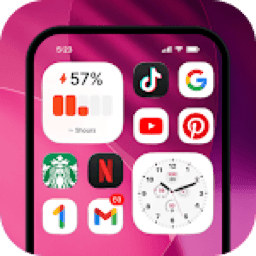
Launcher OS
PersonalizationScreenshots
Analysis by LookedApp · Published · Updated
Launcher OS is a personalization application designed to transform and enhance the Android mobile operating system experience. It aims to make a user's phone more powerful, personal, and intelligent by offering various customization options and integrated functionalities. The app is suitable for Android users seeking a comprehensive overhaul of their device's interface and core features.
What is Launcher OS?
Launcher OS, also known as Launcher OS™, is an application developed by Apps Genz. It is presented as a tool that redefines the Android mobile operating system, aiming to improve the overall phone experience and introduce new possibilities for device customization. The developer states that it makes devices more powerful, personal, and intelligent.
The application is exclusively available for download on Google Play. It was initially released on 2020-05-19 and has received regular updates, with the latest version, 6.3.15, updated on 2026-09-03. The app falls under the Personalization category on Google Play.
Apps Genz is the developer behind Launcher OS™, and they maintain a website at https://appsgenz.com/. The application has garnered significant attention on Google Play, accumulating 1.8M ratings and an estimated 2M downloads last month.
Latest on Launcher OS
Is this the real Launcher OS app?
- Established since 2020Listed since May 19, 2020, 100,000,000+ installs on Google Play.
| Developer on Google Play | Apps Genz |
|---|---|
| Android package name | com.babydola.launcherios |
| On the stores since | May 19, 2020 |
| Installs on Google Play | 100,000,000+ |
| Developer website | appsgenz.com |
| Content rating | Google Play: Everyone |
These details come from the public store listings. LookedApp doesn't host downloads: install from the Google Play or App Store buttons on this page.
Key features
- The application enables users to open the camera directly from a locked screen.
- It provides functionality to display phone calls even when the screen is locked.
- Users can view notifications directly from a locked screen.
- It supports setting wallpapers from both user storage and the application's server.
- A custom lock screen can be displayed over all other applications.
- The application includes a built-in universal file search feature to quickly locate files on the device.
- Microphone access is utilized for converting voice to text within an AI chat feature.
More Tools & Utilities reviews



More news
- GuideStreaming Apps and Your Data: Understanding PermissionsLookedApp examines the permissions popular streaming applications request and what their privacy policies indicate about user data handling.
- GuideKids' Apps: What Parents Can Check Before InstallingThis guide provides parents with essential information to review a child-directed app's store listing. It covers key aspects such as content ratings, pricing structures, in-app purchases, and privacy practices, using examples from apps LookedApp covers.
- GuideHow to Read App Ratings on Google Play and the App StoreUnderstanding app ratings on Google Play and the App Store can help users make informed decisions. This guide explores how star ratings and rating counts appear and highlights why the same app might show different ratings on each platform.

















Privacy and permissions
Launcher OS requests a broad range of permissions to function as intended. These permission groups include "Device & app history," "Calendar," "Contacts," "Location," "Phone," "Photos/Media/Files," "Storage," "Camera," "Microphone," "Wi-Fi connection information," and "Device ID & call information." The developer states specific uses for some of these, such as Camera access to open the camera when locked, "READ_PHONE_STATE" to show phone calls when locked, and "NOTIFICATION ACCESS" to display notifications when locked. "READ/WRITE_EXTERNAL_STORAGE" is used for wallpaper management, "DRAW OVER SCREEN" for the lock screen feature, "MANAGE_EXTERNAL_STORAGE" for universal file search, and "RECORD_AUDIO" for voice-to-text in AI chat.
The Google Play listing for Launcher OS does not provide explicit details regarding data collection, how user data is shared with third parties, or the policies for data retention. Users should review the requested permissions carefully before installation, as they grant the application access to sensitive aspects of their device and personal information. The developer's website might offer additional privacy information, but it is not directly stated in the Google Play listing's description.
Apps Genz publishes its privacy policy at appsgenz.com.
Launcher OS permissions in plain English
The Google Play listing shows 11 permission groups. Google Play also lists 31 other permissions, such as “view network connections”. That is more than most tools & utilities apps LookedApp reviews (typical: 5).
- CalendarCan read or change your calendar
- CameraCan take photos and record video
- ContactsCan read your contacts
- Device & app historyCan see recent apps and activity
- Device ID & call informationCan read your device ID and call status
- LocationCan use your precise location
- MicrophoneCan record audio
- PhoneCan read phone status or make calls
- Photos/Media/FilesCan read and change your photos, media and files
- StorageCan read and change files in shared storage
- Wi-Fi connection informationCan see Wi-Fi connection details
Permission names come from Google Play; the plain-English lines describe what each permission group allows, not how this app uses it.
Launcher OS at a glance
| Developer | Apps Genz |
|---|---|
| Category | Personalization |
| Rating on Google Play | 4.4 out of 5 (1.8M ratings) |
| Price | Free |
| Age rating | Everyone |
What changed in the latest Launcher OS version
Google Play · Listing updated Sep 3, 2026
The release notes say:
“Launcher OS - 7.0.1 (384) Liquid glass effect for home screen”
Quoted from the store listings' release notes.
Pricing
Launcher OS is available for download at no initial cost from Google Play. This means users can install the application and begin using its core features without an upfront payment.
However, the application does include in-app purchases. The Google Play listing indicates the presence of these in-app purchases, but it does not specify the exact costs associated with them, nor does it detail what features or content these purchases unlock. Users interested in the full range of functionalities should be aware that additional expenditures may be required within the application.
Launcher OS compared with similar apps
| App | Rating | Installs | Price |
|---|---|---|---|
 Launcher OS Launcher OS | 4.4 | – | Free |
 Google Chrome Google Chrome | 4.1 | – | Free |
 Google Maps Google Maps | 3.3 | – | Free |
 Wifi Speed Test Wifi Speed Test | 4.0 | – | Free |
Popular reviews
 Brightest Flashlight Launcher reviewBrightest Flashlight Launcher is an application designed to provide flashlight utility and launcher functionality for…Tools & Utilities
 Local Weather Forecast - Radar reviewLocal Weather Forecast - Radar is a weather application developed by Vitality App Studios, available on Google Play. It…Tools & Utilities
 Proton VPN reviewProton VPN is an application developed by Proton AG, designed to provide private and encrypted internet access. It is…Tools & Utilities
 Merriam-Webster Dictionary reviewThe Merriam-Webster Dictionary application provides comprehensive English language reference and vocabulary building…Tools & Utilities
 Whitepages reviewThe Whitepages app is designed for users seeking to find people and information related to contacts. It serves as a…Tools & Utilities
 Currency Converter Offline reviewCurrency Converter Offline is an application designed for converting global currencies, notably featuring offline…Tools & Utilities
How to get Launcher OS safely
To ensure a safe installation of Launcher OS, users are advised to download the application exclusively from its dedicated listing on Google Play. It is crucial to verify that the application is published by the developer "Apps Genz." Relying on unofficial sources, such as third-party APK mirrors or modified versions of the app, carries inherent risks, including the potential for malware, compromised functionality, or security vulnerabilities.
Before completing the installation, users should carefully review the permissions requested by Launcher OS. The application requires access to various device functions, including "Device & app history," "Calendar," "Contacts," "Location," "Phone," "Photos/Media/Files," "Storage," "Camera," "Microphone," "Wi-Fi connection information," and "Device ID & call information." Understanding these permissions allows users to make an informed decision about the level of access they are granting to the application on their mobile device.
How to install Launcher OS
On Android (Google Play)
- Open the Google Play Store app on your Android phone or tablet.
- Search for Launcher OS, or use the Google Play button on this page to open the listing directly.
- Check that the developer under the app name is Apps Genz.
- Check that your device meets the listing's requirement: Android 8.0 and up.
- Tap Install (or the price, for a paid app) and wait for the download to finish, then open the app from your home screen.
- The listing shows in-app purchases, so review any purchase prompts before you confirm.
Launcher OS version and app details
| Google Play | |
|---|---|
| Last updated | Sep 3, 2026 |
| First released | May 19, 2020 |
| Package name | com.babydola.launcherios |
| Requires | Android 8.0 and up |
| Content rating | Everyone |
| In-app purchases | Yes ($0.99 - $79.99 per item) |
| Contains ads | Yes |
| Developer | Apps Genz |
Who Launcher OS is for
Launcher OS is intended for Android smartphone users who are looking to significantly personalize and enhance their device's operating system experience. It caters to individuals who desire advanced customization options beyond the default Android interface, including specialized lock screen functionalities, efficient file management, and integrated communication tools like AI chat with voice input.
With a content rating of "Everyone," the application is broadly accessible. However, given its comprehensive nature and the array of permissions it requests, it is particularly suited for users comfortable with granting such access in exchange for a deeply customized and feature-rich mobile environment. The app is designed to make a user's phone feel more "powerful, personal, and intelligent."
Launcher OS for kids and families
Pros
- Offers extensive personalization features to enhance the Android experience.
- Achieved a high user rating of 4.4 stars from 1.8M ratings on Google Play.
- Includes useful integrated tools like a universal file search and AI chat with voice-to-text.
- Available for initial download at no cost.
- Provides specialized lock screen functionalities for camera, calls, and notifications.
Cons
- Requires a wide range of permissions, including access to sensitive device data.
- Contains in-app purchases, with specific pricing details not disclosed in the listing.
- Exclusively available on the Google Play platform, limiting access for users of other operating systems.
- The Google Play listing does not provide detailed information on data collection, sharing, or retention policies.
Launcher OS: frequently asked questions
What is the cost of Launcher OS?
The application is available for download at no initial cost.
On which platforms is Launcher OS available?
Launcher OS is available on Google Play.
Who developed Launcher OS?
Apps Genz developed Launcher OS.
When was Launcher OS last updated?
The application was last updated on 2026-09-03.
What is the content rating for Launcher OS?
Launcher OS has a content rating of Everyone.
Does Launcher OS include in-app purchases?
Yes, Launcher OS includes in-app purchases.
Launcher OS
- Category
- Personalization
- Version
- Varies with device
Download
Looking for the Launcher OS website or sign-in? Go to appsgenz.com →The developer's website, as given on the store listing.
Launcher OS ratings breakdown
Google Play 4.4 average from 1,821,988 ratings
- 575%
- 410%
- 35%
- 22%
- 19%
Share of ratings for each star level, as shown on the listings, as of Sep 6, 2026.












































