
HP Print Service Plugin
ProductivityScreenshots
Analysis by LookedApp · Published · Updated
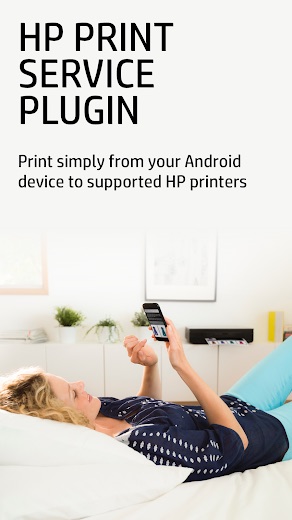
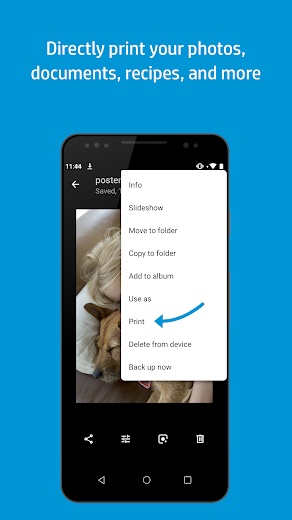
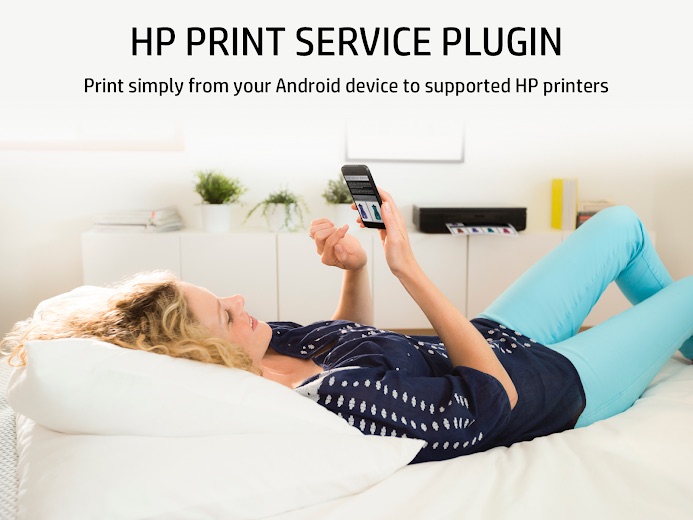
The HP Print Service Plugin is a utility application developed by HP Inc. that enables Android users to print documents, photos, and other content directly to supported HP printers. It is designed for individuals who require seamless mobile printing capabilities from their Android devices to an HP printer.
What is HP Print Service Plugin?
The HP Print Service Plugin is an application developed by HP Inc., the well-known technology company. It is made available to users through the Google Play platform.
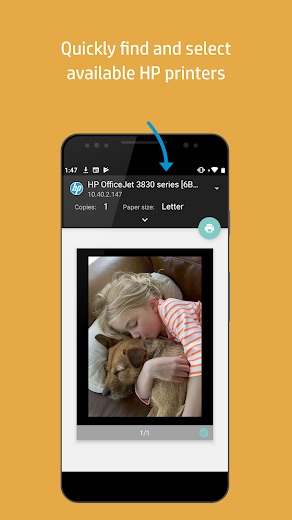
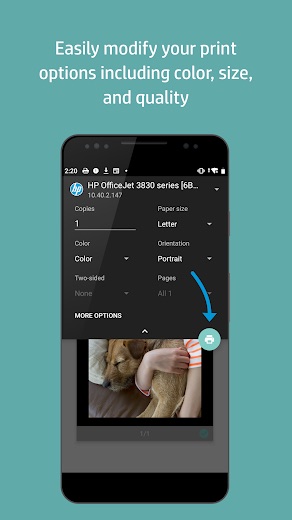
This application serves as a bridge, allowing Android devices to discover and print to various HP printers without the need for additional drivers or complex setup procedures. It streamlines the mobile printing experience for users with HP printing devices.
First released on 2013-05-14, the HP Print Service Plugin has been consistently maintained, with its most recent update on 2026-04-21, indicating ongoing support from its developer.
Latest on HP Print Service Plugin





Is this the real HP Print Service Plugin app?
- Established since 2013Listed since May 14, 2013, 1,000,000,000+ installs on Google Play.
| Developer on Google Play | HP Inc. |
|---|---|
| Android package name | com.hp.android.printservice |
| On the stores since | May 14, 2013 |
| Installs on Google Play | 1,000,000,000+ |
| Content rating | Google Play: Everyone |
These details come from the public store listings. LookedApp doesn't host downloads: install from the Google Play or App Store buttons on this page.
Key features
- Enables printing from Android devices to HP printers.
- Developed and maintained by HP Inc.
- Available for download on Google Play.
- Received a rating of 4.1 based on a large number of user reviews.
- Categorized under 'Productivity' on Google Play.
- Has a content rating suitable for 'Everyone'.
More Productivity & Email reviews




More news
- RoundupLookedApp's Insights on Top Free Learning Apps for Kids and FamiliesExplore a selection of free-to-download educational applications for children and families, analyzed by LookedApp, designed to support learning and engagement across various subjects and age groups.
- GuideStreaming Apps and Your Data: Understanding PermissionsLookedApp examines the permissions popular streaming applications request and what their privacy policies indicate about user data handling.
- GuideKids' Apps: What Parents Can Check Before InstallingThis guide provides parents with essential information to review a child-directed app's store listing. It covers key aspects such as content ratings, pricing structures, in-app purchases, and privacy practices, using examples from apps LookedApp covers.















Privacy and permissions
The HP Print Service Plugin requests access to several permission groups on an Android device. These include 'Identity', 'Contacts', 'Location', 'Photos/Media/Files', 'Storage', and 'Wi-Fi connection information'.
The Google Play listing does not explicitly detail how the data accessed through these permissions is used, stored, or shared by the developer. Users are encouraged to review app permissions before installation and consider what data they are comfortable sharing.
HP Inc. publishes its privacy policy at www.hp.com.
HP Print Service Plugin permissions in plain English
The Google Play listing shows 6 permission groups. Google Play also lists 10 other permissions, such as “view network connections”. That is fewer than most productivity & email apps LookedApp reviews (typical: 7).
- ContactsCan read your contacts
- IdentityCan find accounts on the device
- LocationCan use your precise location
- Photos/Media/FilesCan read and change your photos, media and files
- StorageCan read and change files in shared storage
- Wi-Fi connection informationCan see Wi-Fi connection details
Permission names come from Google Play; the plain-English lines describe what each permission group allows, not how this app uses it.
HP Print Service Plugin at a glance
| Developer | HP Inc. |
|---|---|
| Category | Productivity |
| Rating on Google Play | 4.1 out of 5 (3M ratings) |
| Installs on Google Play | 1B+ |
| Price | Free |
| Age rating | Everyone |
What changed in the latest HP Print Service Plugin version
Google Play · Listing updated Jun 11, 2026
The release notes are general and don't list specific changes:
“Reliability and performance improvements”
Quoted from the store listings' release notes.
Pricing
The HP Print Service Plugin is available at no cost to the user. The Google Play listing specifies its price as $0.
The Google Play listing does not mention any in-app purchases associated with the HP Print Service Plugin, indicating that its functionality is fully accessible without additional financial transactions.
HP Print Service Plugin compared with similar apps
| App | Rating | Installs | Price |
|---|---|---|---|
 HP Print Service Plugin HP Print Service Plugin | 4.1 | 1B+ | Free |
 Google Play Store Google Play Store | – | – | Free |
 MapQuest MapQuest | 4.4 | 10M+ | Free |
 Speedtest by Ookla Speedtest by Ookla | 4.6 | 100M+ | Free |
Popular reviews
 Microsoft Authenticator reviewThe Microsoft Authenticator app offers a streamlined approach to enhancing online account security through multi-factor…Productivity & Email
 Microsoft Excel reviewMicrosoft Excel is a comprehensive mobile spreadsheet application designed for creating, editing, and analyzing data.…Productivity & Email
 Google Calendar reviewGoogle Calendar is a productivity application developed by Google LLC, designed to help users manage their schedules…Productivity & Email
 Google Authenticator reviewGoogle Authenticator is an application designed to provide an additional layer of security for online accounts by…Productivity & Email
 Google Sheets reviewGoogle Sheets is a productivity application designed for creating, editing, and collaborating on spreadsheets across…Productivity & Email
 Workday reviewThe Workday app serves as a comprehensive mobile solution designed to enhance workplace productivity, offering…Productivity & Email
How to get HP Print Service Plugin safely
To ensure the integrity and safety of the application, it is recommended to obtain the HP Print Service Plugin exclusively from its listing on Google Play. Users should verify that the developer listed is 'HP Inc.' to confirm authenticity.
Downloading the application from unofficial sources, third-party websites, or through modified versions can expose devices to security risks. Before completing the installation, users should carefully review the requested permissions to understand what aspects of their device the application will access.
How to install HP Print Service Plugin
On Android (Google Play)
- Open the Google Play Store app on your Android phone or tablet.
- Search for HP Print Service Plugin, or use the Google Play button on this page to open the listing directly.
- Check that the developer under the app name is HP Inc..
- Check that your device meets the listing's requirement: Android 6.0 and up.
- Tap Install (or the price, for a paid app) and wait for the download to finish, then open the app from your home screen.
HP Print Service Plugin version and app details
| Google Play | |
|---|---|
| Last updated | Jun 11, 2026 |
| First released | May 14, 2013 |
| Package name | com.hp.android.printservice |
| Requires | Android 6.0 and up |
| Content rating | Everyone |
| In-app purchases | No |
| Contains ads | No |
| Developer | HP Inc. |
Who HP Print Service Plugin is for
This application is primarily intended for individuals who own an Android smartphone or tablet and also use an HP printer. It facilitates direct printing from the mobile device to the HP printer, making it convenient for those who frequently print documents or photos from their handheld devices.
It is also suitable for users seeking a straightforward and integrated solution for mobile printing, as it is developed by the printer manufacturer itself. The 'Everyone' content rating means it is appropriate for a broad audience, including families.
HP Print Service Plugin for kids and families
Pros
- Provided at no cost to the user.
- Developed by HP Inc., the manufacturer of HP printers.
- Features a high user rating of 4.1 on Google Play.
- Regularly updated, with the last update on 2026-04-21.
- Widely available on Google Play, with high download numbers.
- Simplifies printing from Android devices to compatible HP printers.
Cons
- Exclusively available for Android devices, not supported on other mobile operating systems.
- Requires access to several permission groups, including 'Identity' and 'Location'.
- Functionality is specific to HP brand printers, limiting its use for other printer brands.
HP Print Service Plugin: frequently asked questions
What is the cost of the HP Print Service Plugin?
The HP Print Service Plugin is available for $0, meaning there is no charge to download or use the application.
On which platforms is the HP Print Service Plugin available?
The HP Print Service Plugin is available on Google Play for Android devices. The Google Play listing does not state availability on other platforms.
Who developed the HP Print Service Plugin?
The HP Print Service Plugin was developed by HP Inc., the company known for its computing and printing products.
When was the HP Print Service Plugin last updated?
The HP Print Service Plugin was last updated on 2026-04-21, according to its Google Play listing.
What is the content rating for the HP Print Service Plugin?
The Google Play listing indicates that the HP Print Service Plugin has a content rating of 'Everyone', making it suitable for all age groups.
Are there any in-app purchases for the HP Print Service Plugin?
The Google Play listing for the HP Print Service Plugin does not mention any in-app purchases.
HP Print Service Plugin
- Category
- Productivity
- Version
- Varies with device
Download
HP Print Service Plugin ratings breakdown
Google Play 4.1 average from 3,023,836 ratings
- 562%
- 415%
- 37%
- 25%
- 111%
Share of ratings for each star level, as shown on the listings, as of Oct 7, 2026.