Microsoft Teams
BusinessScreenshots

Analysis by LookedApp · Published · Updated
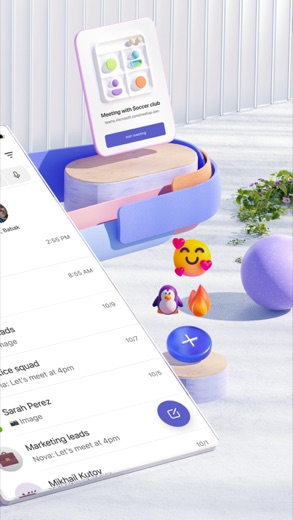
Microsoft Teams is a comprehensive communication and collaboration application designed to bring individuals together for various activities, from community engagement to project work. It integrates multiple functions like chat, meetings, file storage, and task management into a single platform, making it suitable for both personal connections and professional team collaboration.
What is Microsoft Teams?
Microsoft Teams is an application developed by Microsoft Corporation, offering a unified space for communication and collaboration. It combines features such as community interaction, event management, instant messaging, channel discussions, video and audio meetings, cloud storage, task assignment, and calendar functionalities. This consolidation aims to streamline how users connect and manage access to shared information.
The application is available for download on both the Google Play Store and the App Store. On Google Play, it is listed under the Business category and has received a rating of 4.6 based on 8.6M reviews. The App Store also lists it under the Business category, where it holds a rating of 4.8 from 3.4M reviews. Microsoft Teams was initially released on 2016-11-02 across both platforms.
Latest on Microsoft Teams




Is this the real Microsoft Teams app?
- Listed on Google Play & App StoreStore listings on both Google Play and the App Store.
- Established since 2016Listed since Nov 2, 2016, 500,000,000+ installs on Google Play.
| Developer on Google Play | Microsoft Corporation |
|---|---|
| Developer on the App Store | Microsoft Corporation |
| Same developer on both stores | Yes |
| Android package name | com.microsoft.teams |
| iOS bundle ID | com.microsoft.skype.teams |
| On the stores since | Nov 2, 2016 |
| Installs on Google Play | 500,000,000+ |
| Content rating | Google Play: Everyone / App Store: 4+ |
These details come from the public store listings. LookedApp doesn't host downloads: install from the Google Play or App Store buttons on this page.
Key features
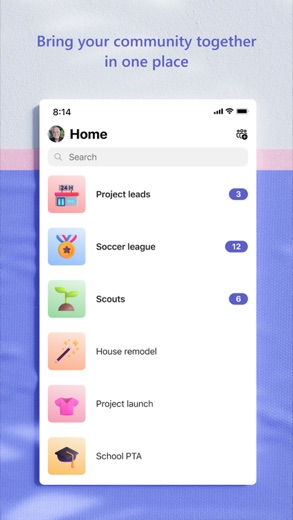
- The application brings together communities, events, chats, channels, meetings, storage, tasks, and calendars in one place.
- Skype is integrated into Teams, allowing users to continue chats, calls, and access contacts.
- Users can set up meetings quickly by sharing a link or calendar invite.
- The app supports one-on-one chats and group discussions with @mentions to get attention.
- It provides cloud storage for accessing shared documents and files while on the move.
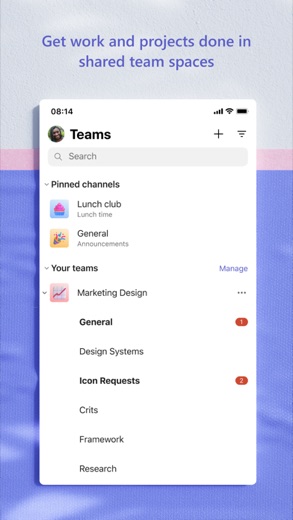
- Task lists are available to manage projects, allowing users to assign tasks, set due dates, and mark items as complete.
More Productivity & Email reviews




More news
- GuideIn-App Purchases and Subscriptions: Reading the Price LineUnderstanding the different pricing models for mobile applications, from no initial cost to up-front purchases, helps users navigate the digital marketplace effectively. This guide explains how to interpret price lines and pricing sections on app store listings.
- GuideUnderstanding Shopping Apps: Permissions, Payments, and Safe InstallationShopping applications provide convenience, but understanding their permissions, payment structures, and how to install them safely is crucial for user privacy and device security.
- RoundupTop Free Sports Apps for Live Scores and StreamsLookedApp presents a roundup of eight free-to-download sports applications, providing real-time scores, streams, and comprehensive sports content to enthusiasts.


















Privacy and permissions
Microsoft Teams requests various permissions on Android devices, falling into groups such as Identity, Contacts, Location, Phone, Photos/Media/Files, Storage, Camera, Microphone, Wi-Fi connection information, and Device ID & call information. These permissions enable the app's functionalities, such as accessing contacts for calls or using the camera for video meetings.
The application is designed to allow users to collaborate with others while maintaining control over their data. Community owners have the ability to remove inappropriate content or members to help maintain a suitable environment. For commercial use, the app offers enterprise-level security and compliance associated with Microsoft 365. Microsoft Corporation also provides a Consumer Health Data Privacy Policy, accessible via a specific link.
Microsoft Corporation publishes its privacy policy at aka.ms.
Microsoft Teams permissions in plain English
The Google Play listing shows 10 permission groups. Google Play also lists 16 other permissions, such as “view network connections”. That is more than most productivity & email apps LookedApp reviews (typical: 7).
- CameraCan take photos and record video
- ContactsCan read your contacts
- Device ID & call informationCan read your device ID and call status
- IdentityCan find accounts on the device
- LocationCan use your precise location
- MicrophoneCan record audio
- PhoneCan read phone status or make calls
- Photos/Media/FilesCan read and change your photos, media and files
- StorageCan read and change files in shared storage
- Wi-Fi connection informationCan see Wi-Fi connection details
Permission names come from Google Play; the plain-English lines describe what each permission group allows, not how this app uses it.
Microsoft Teams at a glance
| Developer | Microsoft Corporation |
|---|---|
| Category | Business |
| Rating on App Store | 4.8 out of 5 (3.4M ratings) |
| Rating on Google Play | 4.6 out of 5 (8.8M ratings) |
| Installs on Google Play | 500M+ |
| Price | Free |
| Age rating | 4+ |
What changed in the latest Microsoft Teams version
App Store · Version 8.18.1, released Oct 15, 2026
The release notes are general and don't list specific changes:
“Bug fixes and performance improvements”
Google Play · Listing updated Oct 8, 2026
The release notes say:
“Use Copilot to summarize channel meetings”
Quoted from the store listings' release notes.
Pricing
Microsoft Teams is available for $0 on Google Play and is listed as "Free" on the App Store. While the core application can be obtained without an initial cost, it does include in-app purchases.
Commercial functionalities within the app require a paid Microsoft 365 commercial subscription or a trial subscription of Microsoft Teams for work. Users interested in these commercial features or unsure about their company's subscription status are directed to consult Office.com/Teams or their IT department for further details.
Microsoft Teams compared with similar apps
| App | Rating | Installs | Price |
|---|---|---|---|
 Microsoft Teams Microsoft Teams | 4.6 | 500M+ | Free |
 Canva Canva | 4.8 | 500M+ | Free |
 Zoom Workplace Zoom Workplace | 4.1 | 1B+ | Free |
 Yahoo Mail Yahoo Mail | 4.2 | 100M+ | Free |
Popular reviews
 Google Authenticator reviewGoogle Authenticator is an application designed to provide an additional layer of security for online accounts by…Productivity & Email
 Google Sheets reviewGoogle Sheets is a productivity application designed for creating, editing, and collaborating on spreadsheets across…Productivity & Email
 Workday reviewThe Workday app serves as a comprehensive mobile solution designed to enhance workplace productivity, offering…Productivity & Email
 UKG Pro reviewThe UKG Pro app functions as a mobile platform designed to provide employees and people managers with access to human…Productivity & Email
 Messenger - SMS Text Messages reviewMessenger, developed by Meta Platforms, Inc., is a comprehensive communication application designed for Android users.…Productivity & Email
 ChatGPT reviewChatGPT for Android brings OpenAI's advanced AI capabilities to mobile devices, enabling users to generate images,…Productivity & Email
How to get Microsoft Teams safely
To ensure a safe installation of Microsoft Teams, users should exclusively download the application from reputable sources such as the Google Play Store or the App Store. It is important to verify that the developer listed on the store page is "Microsoft Corporation," as indicated in the application's details.
Users are advised to avoid third-party APK mirrors or modified versions of the application, as these unofficial sources may harbor malicious software or compromise the app's integrity. Before completing the installation, it is prudent to review the permissions the app requests to understand what data and device functions it will access.
How to install Microsoft Teams
On Android (Google Play)
- Open the Google Play Store app on your Android phone or tablet.
- Search for Microsoft Teams, or use the Google Play button on this page to open the listing directly.
- Check that the developer under the app name is Microsoft Corporation.
- Tap Install (or the price, for a paid app) and wait for the download to finish, then open the app from your home screen.
- The listing shows in-app purchases, so review any purchase prompts before you confirm.
On iPhone and iPad (App Store)
- Open the App Store on your iPhone or iPad.
- Search for Microsoft Teams, or use the App Store button on this page to open the listing directly.
- Check that the developer under the app name is Microsoft Corporation.
- Make sure your device has iOS 17.0 or later and about 533 MB of free space, as the listing states.
- Tap Get (or the price), confirm the download, then open the app from your home screen.
- The listing shows in-app purchases, so review any purchase prompts before you confirm.
Microsoft Teams version and app details
| Google Play | App Store | |
|---|---|---|
| Latest version | – | 8.18.1 |
| Last updated | Oct 8, 2026 | Oct 15, 2026 |
| First released | Nov 2, 2016 | Nov 2, 2016 |
| Package name | com.microsoft.teams | – |
| Bundle ID | – | com.microsoft.skype.teams |
| Requires | – | iOS 17.0 or later |
| Download size | – | 533 MB |
| Content rating | Everyone (Users Interact) | 4+ |
| In-app purchases | Yes ($9.99 - $129.99 per item) | Yes |
| Contains ads | No | – |
| Languages | – | 46 (including English) |
| Developer | Microsoft Corporation | Microsoft Corporation |
Who Microsoft Teams is for
Microsoft Teams is designed for a broad audience, including individuals looking to connect with their communities, family, and friends, as well as professionals collaborating on projects with teammates. Its integrated features make it suitable for managing personal events, sharing ideas, and making plans within a group setting.
The application caters to those who need a centralized platform for communication, file sharing, and task management. It is particularly useful for groups that require audio and video calling capabilities, document collaboration, and cloud storage for shared files and photos. The design supports both casual interactions and structured project work, accommodating various collaboration needs.
Microsoft Teams for kids and families
Pros
- Integrates multiple communication and collaboration tools into one application.
- Allows for easy setup of audio and video calls with various participants.
- Provides cloud storage for convenient access to shared files and documents.
- Includes task management features to help organize projects and plans.
- Supports community building and focused discussions through dedicated channels.
Cons
- Commercial features require a separate paid Microsoft 365 subscription.
- The app requests a wide range of device permissions on Android.
- The extensive feature set might present a learning curve for new users.
Microsoft Teams: frequently asked questions
Is Microsoft Teams available without cost?
Yes, Microsoft Teams is listed as $0 on Google Play and "Free" on the App Store. However, it does include in-app purchases and certain commercial features require a paid Microsoft 365 subscription.
On which devices can Microsoft Teams be used?
Microsoft Teams is available on devices running Android via Google Play and on iOS devices via the App Store. For iOS, a minimum of iOS 17.0 is required.
Who is the developer of Microsoft Teams?
Microsoft Teams is developed by Microsoft Corporation.
What kind of content can be shared in Microsoft Teams?
Users can share photos, videos, documents, and files within chats, and utilize cloud storage for shared content.
Does Microsoft Teams support video calls?
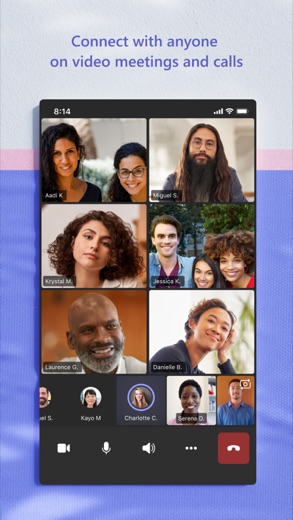
Yes, Microsoft Teams allows users to join audio and video calls and instantly convert a group chat into a call.
What is the content rating for Microsoft Teams?
On Google Play, the content rating is "Everyone," while on the App Store, it is rated "4+".
Microsoft Teams
- Category
- Business
- Version
- 8.18.1
Download
Microsoft Teams ratings breakdown
Google Play 4.6 average from 8,808,356 ratings
- 580%
- 413%
- 32%
- 21%
- 14%
App Store 4.8 average from 3,379,378 ratings
- 585%
- 412%
- 32%
- 20%
- 11%
Share of ratings for each star level, as shown on the listings, as of Oct 15, 2026.