BurlingtonEnglish
EducationScreenshots
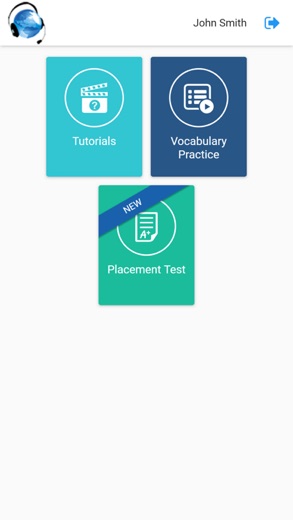
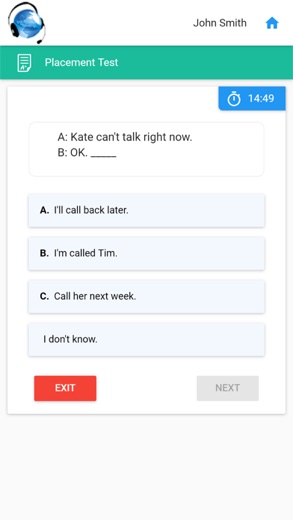
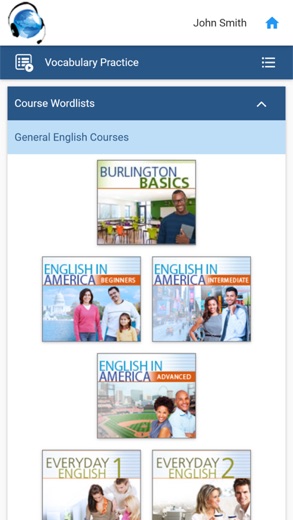
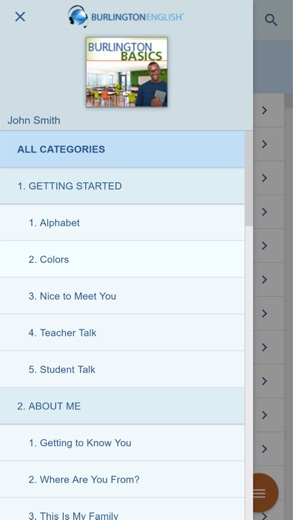
Analysis by LookedApp · Published
BurlingtonEnglish is a blended English program for adult learners, offered through schools and adult education programs rather than sold to individuals. The phone app adds pronunciation feedback and vocabulary practice, while students and teachers also work on the web at app.burlingtonenglish.com.
What is BurlingtonEnglish?
Burlington Education Ltd. makes BurlingtonEnglish, a program for adults learning English for daily life and work. It reaches students through institutions: a new student joins with an activation code or class code from their school or program, and the BurlingtonEnglish e-shop is open only to students of those institutions.
The course list includes Burlington Core, a six-level curriculum, along with Career Exploration & Soft Skills, over 180 English for Specific Careers courses, test prep for CASAS STEPS, English in America, Burlington Grammar, Using Your Computer and a library of digital readers. The company calls itself a CASAS partner.
The app came to Google Play in September 2018 and to the App Store in October 2018. The Android version was last updated in July 2025; the iPhone version has not changed since January 2023.
Is this the real BurlingtonEnglish app?
- Verified publisher infoSame developer on Google Play and the App Store (Burlington Education Ltd.), and the developer website burlingtonenglish.com matches the publisher.
- Established since 2018Listed since Sep 2, 2018, 1,000,000+ installs on Google Play.
| Developer on Google Play | Burlington Education Ltd. |
|---|---|
| Developer on the App Store | Burlington Education Ltd. |
| Same developer on both stores | Yes |
| Android package name | com.burlingtonenglish.burlingtonenglish |
| iOS bundle ID | com.burlingtonenglish.BurlingtonEnglish |
| On the stores since | Sep 2, 2018 |
| Installs on Google Play | 1,000,000+ |
| Developer website | burlingtonenglish.com |
| Content rating | Google Play: Everyone / App Store: 4+ |
These details come from the public store listings. LookedApp doesn't host downloads: install from the Google Play or App Store buttons on this page.
Key features
- SpeechTrainer, which listens to a student's spoken English, adjusts to different accents and gives targeted pronunciation feedback.
- Vocabulary practice built on the wordlists from the student's own courses.
- Short animated videos on using a mouse and keyboard, aimed at learners with little computer experience.
- Progress reports that update as the student works.
- Teacher and administrator tools for managing classes and pulling reports.
More Games & Learning reviews



More news
- What's newGoogle Photos Update: Enhanced Search and Smarter Storage ManagementRecent updates to Google Photos bring a more powerful search experience to users and introduce a new tool to manage storage more efficiently, according to recent store listings.
- What's newWells Fargo Mobile: October 2026 Update Enhances Credit Card InsightsThe Wells Fargo Mobile app has received an update in October 2026, focusing on enhanced accessibility for personalized insights within credit card account details. LookedApp examines what this means for users and provides a refresher on the app's comprehensive banking functionalities.
- What's newWhat's New in Microsoft OneDrive: A Look at Recent UpdatesMicrosoft OneDrive has received significant updates across both iOS and Android platforms, enhancing file management, photo organization, and app stability. These changes reflect an ongoing commitment to providing a comprehensive cloud storage solution for users.



Privacy and permissions
Google Play lists only three permission groups: microphone, photos and files, and storage. The microphone is what SpeechTrainer needs to hear the learner.
Student accounts are managed by the school, and the developer notes that an institution can end a student's access when they leave. The listings do not describe other data settings.
Burlington Education Ltd. publishes its privacy policy at www.burlingtonenglish.com.
BurlingtonEnglish permissions in plain English
The Google Play listing shows 3 permission groups. Google Play also lists 3 other permissions, such as “view network connections”. That is more than most games & learning apps LookedApp reviews (typical: 1).
- MicrophoneCan record audio
- Photos/Media/FilesCan read and change your photos, media and files
- StorageCan read and change files in shared storage
The App Store privacy label lists these data types:
- The developer says the app does not collect data.
Permission names come from Google Play; the plain-English lines describe what each permission group allows, not how this app uses it.
BurlingtonEnglish at a glance
| Developer | Burlington Education Ltd. |
|---|---|
| Category | Education |
| Rating on App Store | 4.2 out of 5 (223 ratings) |
| Rating on Google Play | 4.4 out of 5 (1.8K ratings) |
| Installs on Google Play | 1M+ |
| Price | Free |
| Age rating | 4+ |
What changed in the latest BurlingtonEnglish version
App Store · Version 1.4, released Jan 8, 2023
The release notes are general and don't list specific changes:
“Bug fixes”
Google Play · Listing updated Jul 3, 2025
The release notes are general and don't list specific changes:
“maintenance release and improvements.”
Quoted from the store listings' release notes.
Pricing
The app is free on both stores, with no in-app purchases on Google Play. Course access is a subscription tied to an institution: schools hand out class codes, and students use them to buy through the e-shop or receive access from their program. Neither the store listings nor the developer's site publish a price or an individual free trial. Students whose subscription is about to run out renew through the same e-shop, and teachers can see upcoming expiry dates in their own tools.
BurlingtonEnglish compared with similar apps
| App | Rating | Installs | Price |
|---|---|---|---|
 BurlingtonEnglish | 4.4 | 1M+ | Free |
 Amazon A to Z | 4.7 | 5M+ | Free |
 AOL | 4.6 | 10M+ | Free |
 Citrix Workspace | 4.0 | 10M+ | Free |
Popular reviews
 Prodigy Math reviewProdigy Math is an educational game that aims to make learning mathematics engaging for children by integrating math…Games & Learning
 Campus Parent reviewThe Campus Parent application provides a direct connection for parents and guardians to their student's academic…Games & Learning
 Scratch reviewScratch is a block-based programming environment available through a web browser and as a downloadable computer…Games & Learning
 Memrise reviewMemrise is a language learning application designed for individuals with diverse learning objectives, ranging from exam…Games & Learning
 ABCya! Games reviewABCya! Games is an educational application designed for children from pre-kindergarten through sixth grade and beyond,…Games & Learning
 Among Us reviewAmong Us is a social deduction game where players work together to prepare a spaceship for departure while identifying…Games & Learning
Platforms and editions
On a laptop or desktop, BurlingtonEnglish runs in a web browser at app.burlingtonenglish.com, the address students and teachers use to sign in; there is no separate Windows download. The phone app is on Android and iPhone, and the App Store version needs iOS 12.0 or later.
The apps to install are the ones published by Burlington Education Ltd. on Google Play and the App Store. Activation and class codes come from the student's school, not from outside sellers.
How to install BurlingtonEnglish
On Android (Google Play)
- Open the Google Play Store app on your Android phone or tablet.
- Search for BurlingtonEnglish, or use the Google Play button on this page to open the listing directly.
- Check that the developer under the app name is Burlington Education Ltd..
- Check that your device meets the listing's requirement: Android 6.0 and up.
- Tap Install (or the price, for a paid app) and wait for the download to finish, then open the app from your home screen.
On iPhone and iPad (App Store)
- Open the App Store on your iPhone or iPad.
- Search for BurlingtonEnglish, or use the App Store button on this page to open the listing directly.
- Check that the developer under the app name is Burlington Education Ltd..
- Make sure your device has iOS 12.0 or later and about 12 MB of free space, as the listing states.
- Tap Get (or the price), confirm the download, then open the app from your home screen.
BurlingtonEnglish version and app details
| Google Play | App Store | |
|---|---|---|
| Latest version | – | 1.4 |
| Last updated | Jul 3, 2025 | Jan 8, 2023 |
| First released | Sep 2, 2018 | Oct 2, 2018 |
| Package name | com.burlingtonenglish.burlingtonenglish | – |
| Bundle ID | – | com.burlingtonenglish.BurlingtonEnglish |
| Requires | Android 6.0 and up | iOS 12.0 or later |
| Download size | – | 12 MB |
| Content rating | Everyone | 4+ |
| In-app purchases | No | – |
| Contains ads | No | – |
| Languages | – | 1 (including English) |
| Developer | Burlington Education Ltd. | Burlington Education Ltd. |
Who BurlingtonEnglish is for
Adult English learners enrolled in a class that uses BurlingtonEnglish, especially those preparing for work or for CASAS STEPS tests. Teachers and administrators use the same platform to assign lessons and track progress.
Learners with limited computer skills are also part of the audience: the Using Your Computer videos start from the basics of a mouse and keyboard before any English lesson. Self-learners without a school connection cannot sign up on their own, so a general language app suits them better.
BurlingtonEnglish for kids and families
- Age rating: Google Play rates it Everyone; the App Store rates it 4+.
- In-app purchases: Google Play: no.
- Ads: the Google Play listing says the app does not contain ads.
- Data safety (Google Play): The developer says the app may collect Personal info. No data shared with third parties. Data is encrypted in transit. You can request that data be deleted.
Store age ratings describe content, not whether an app suits a particular child.
Pros
- Pronunciation feedback with SpeechTrainer
- Over 180 career-focused courses
- Works in a browser and on phones
- Small app with a short permission list
Cons
- Requires a code from a school or program
- iPhone app last updated in January 2023
- Only 223 ratings on the App Store
- No published individual price
BurlingtonEnglish: frequently asked questions
Is this the BurlingtonEnglish sign-in page?
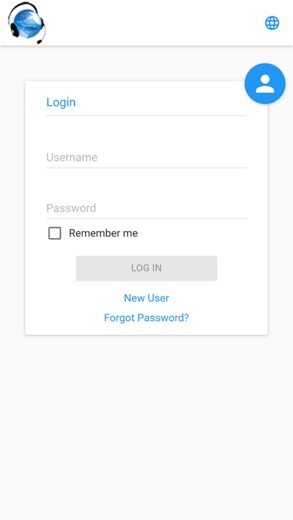
No. This is an independent review. Students and teachers sign in at app.burlingtonenglish.com or in the BurlingtonEnglish app.
Can BurlingtonEnglish be used on a computer?
Yes. It runs in a web browser at app.burlingtonenglish.com, so no Windows or Mac download is needed.
How do students get an account?
Through their school or program. New students register with an activation code or class code from the institution.
Is BurlingtonEnglish free?
The app is free to install, but course access is a subscription arranged through the student's institution.
What does SpeechTrainer do?
It analyzes a learner's spoken English, adapts to the speaker's accent to find specific problems and gives individual pronunciation training through the microphone.
What ratings does the app have?
4.4 on Google Play from 1.8K ratings and 4.2 on the App Store from 223 ratings.
BurlingtonEnglish
- Category
- Education
- Version
- 1.4
Download
Looking for the BurlingtonEnglish website or sign-in? Go to burlingtonenglish.com →The developer's website, as given on the store listing.
BurlingtonEnglish ratings breakdown
Google Play 4.4 average from 1,766 ratings
- 578%
- 45%
- 35%
- 24%
- 18%
App Store 4.2 average from 223 ratings
- 571%
- 48%
- 34%
- 24%
- 113%
Share of ratings for each star level, as shown on the listings, as of Nov 2, 2026.