
iCloud
Tools & UtilitiesScreenshots
Analysis by LookedApp · Published · Updated
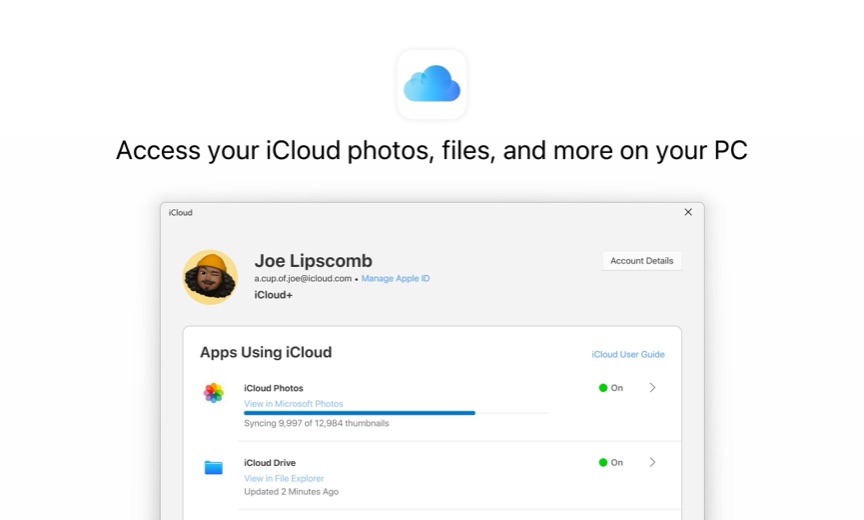
On a Windows PC, iCloud means the free iCloud for Windows app from the Microsoft Store, published by Apple Inc. It puts iPhone photos into the Photos app, iCloud Drive into File Explorer and saved passwords into Chrome, Edge or Firefox. For anyone who pairs an iPhone with a Windows computer it is the obvious install, as long as the PC meets Apple's Windows 11 requirement.
What is iCloud?
iCloud is Apple's online service for keeping photos, files, passwords, contacts and calendars in step across devices. Apple announced it on May 31, 2011 and switched it on October 12, 2011. This review focuses on the Windows app, the part of iCloud that has to be installed.
iCloud for Windows has been in the Microsoft Store since June 2019. The listing, last updated on November 18, 2026, shows 4.1 stars from 32,755 ratings and a download of about 355 MB that costs nothing for x86 and x64 PCs.
Nothing has to be installed to reach iCloud mail or photos. In a web browser, iCloud.com opens Mail, Photos, iCloud Drive, Calendar, Contacts, Notes, Reminders, Pages, Numbers, Keynote, 'Hide My Email' and Find Devices, and people sign in there with their Apple Account. Apple notes that phones and tablets get a smaller set of apps than computers, and that not every feature is offered in every country or region.
Key features
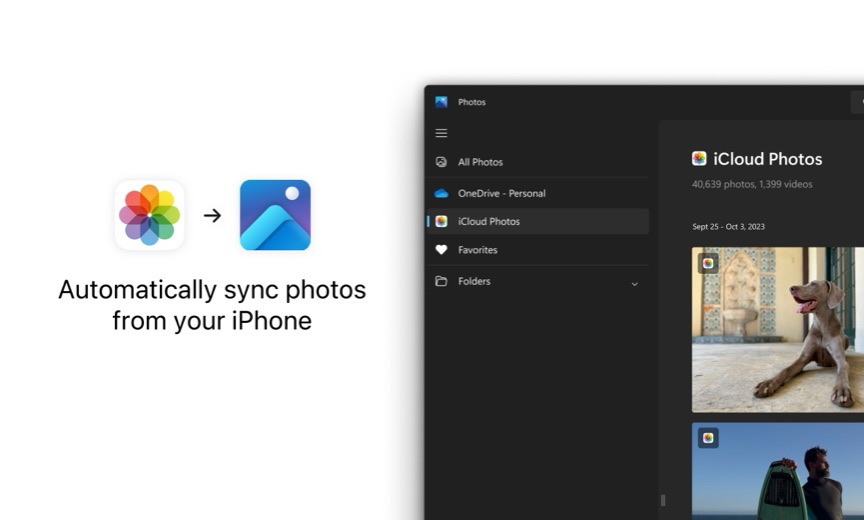
- iCloud Photos appears inside the Microsoft Photos app, so pictures taken on an iPhone show up on the PC.
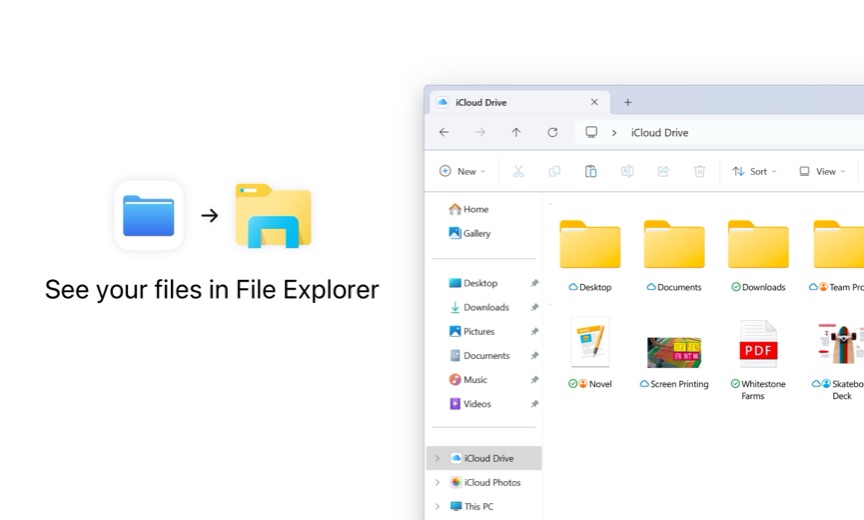
- iCloud Drive sits in File Explorer, and edits made on the PC sync back to the cloud.
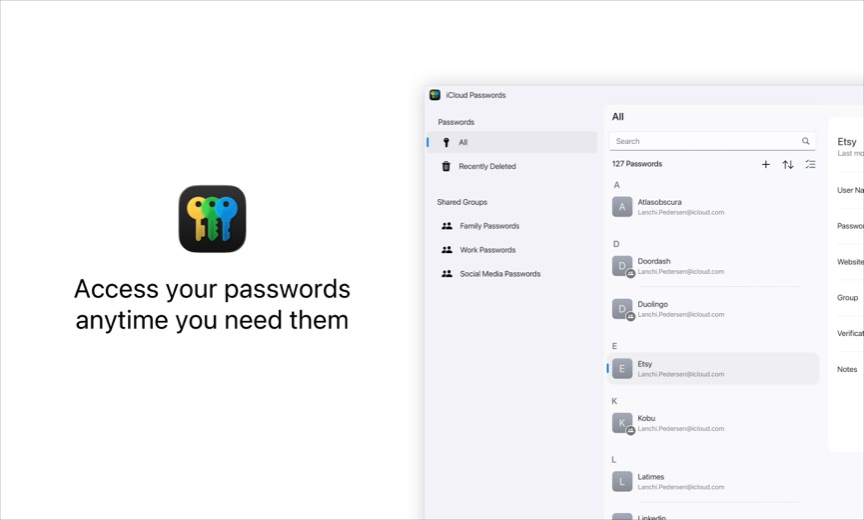
- The iCloud Passwords app, plus extensions for Chrome, Edge and Firefox, fills in passwords saved on Apple devices and stores new ones.
- It can generate the verification codes some websites ask for at sign-in.
- Calendars and contacts sync with classic Outlook.
- An iCloud Bookmarks extension merges Safari bookmarks into Chrome, Edge or Firefox.
More Tools & Utilities reviews




More news
- What's newWhat's New in Among Us: The Latest Update and Ghost Crewmate RoleThe social deduction game Among Us has received a new update, introducing a Ghost Crewmate role and seasonal decorations, adding to its gameplay and customization options.
- What's newWhat's New in EA SPORTS FC Soccer Mobile 26: The Latest Season UpdateElectronic Arts has rolled out significant updates for EA SPORTS FC Soccer Mobile 26, introducing new tactical depth, game modes, and enhanced visuals. These changes aim to refresh the mobile soccer experience for players.
- GuideIn-App Purchases and Subscriptions: Reading the Price LineUnderstanding the different pricing models for mobile applications, from no initial cost to up-front purchases, helps users navigate the digital marketplace effectively. This guide explains how to interpret price lines and pricing sections on app store listings.








PC requirements
Apple's support page asks for Windows 11 or later, and Outlook 2021 or later for the mail and calendar features of the latest version. The Microsoft Store listing still accepts Windows 10 version 18362.145 or higher, so a Windows 10 PC may install it while sitting outside what Apple supports.
The app is about 355 MB and runs on x86 and x64 processors. It does not work with Managed Apple Accounts, so an Apple account issued and controlled by an organization cannot be used with it.
iCloud at a glance
| Developer | Apple Inc. |
|---|---|
| Category | Tools & Utilities |
Pricing
iCloud for Windows itself is free, and every Apple account comes with 5 GB of iCloud storage at no charge. A phone full of photos and videos outgrows that quickly, which is where iCloud+ comes in.
Apple's US monthly prices for iCloud+ are $0.99 for 50 GB, $2.99 for 200 GB, $9.99 for 2 TB, $29.99 for 6 TB and $59.99 for 12 TB. Each paid tier can be shared with up to five other family members. iCloud+, introduced in June 2021, also adds Private Relay, 'Hide My Email' and custom email domains.
iCloud compared with similar apps
| App | Rating | Installs | Price |
|---|---|---|---|
 iCloud | – | – | – |
 Amtrak | 4.7 | 5M+ | Free |
 Apple Devices | – | – | – |
 Audacity | – | – | – |
Popular reviews
 Tolls NY (E-ZPass NY) reviewTolls NY (E-ZPass NY) is a mobile application designed for E-ZPass NY and Tolls by Mail customers to manage their…Tools & Utilities
 Wells Fargo Mobile reviewThe Wells Fargo Mobile app offers a comprehensive suite of banking and financial management tools for customers with…Tools & Utilities
 MyHumana reviewMyHumana is Humana's member app for coverage details, claims, drug prices and ID cards. It only works with an active…Tools & Utilities
- Baby Buddy for Android reviewBaby Buddy for Android is a companion application designed for caregivers to track a baby's activities, including…Tools & Utilities
 MyChart reviewMyChart is an application designed to provide users with direct access to their personal health information and…Tools & Utilities
 Kaiser Permanente reviewThe Kaiser Permanente app reaches past insurance into day-to-day care: members message their doctor's office, book…Tools & Utilities
How to get iCloud safely
Apple directs Windows users to the Microsoft Store, and that is the only source worth using; the publisher on the listing should read Apple Inc. Sites offering an iCloud setup file or an iCloud PC download of their own add nothing, since the Store version is free.
Because the app holds saved passwords and can produce verification codes, it deserves the same care as a password manager: install it on a PC the owner controls, not on a shared or public machine.
Who iCloud is for
iPhone owners who do their work on a Windows PC get the most from it. Photos land in the Photos app, iCloud Drive behaves like any other folder, and passwords saved on the phone are ready in Chrome or Edge.
Families on a shared iCloud+ plan benefit too. Anyone still on Windows 10 should note Apple's Windows 11 requirement, and people whose Apple account is a Managed Apple Account cannot use the app at all.
Pros
- Free app, with 5 GB of iCloud storage included
- Photos and iCloud Drive appear in tools Windows users already know
- Password extensions for Chrome, Edge and Firefox
- 4.1 stars from 32,755 ratings on the Microsoft Store
Cons
- Apple supports only Windows 11 or later
- Mail and calendar features need Outlook 2021 or later
- No support for Managed Apple Accounts
- 5 GB of free storage is small for a photo library
iCloud: frequently asked questions
Can iCloud Mail and Photos be opened without the Windows app?
Yes. iCloud.com shows Mail, Photos, iCloud Drive and Find Devices in a web browser after signing in with an Apple Account. Find Devices works there even without the trusted device.
Why is iCloud data missing on iCloud.com?
One cause Apple lists is Advanced Data Protection, which turns off web access to most data unless Access iCloud Data on the Web is switched on in the device's iCloud settings.
Does iCloud for Windows work on Windows 10?
The Microsoft Store listing allows Windows 10 version 18362.145 or higher, but Apple's support page says Windows 11 or later, so Windows 10 is not supported by Apple.
Is iCloud free?
Yes, with 5 GB of storage. In the US, iCloud+ starts at $0.99 a month for 50 GB and goes up to $59.99 a month for 12 TB.
Can iCloud passwords be used in Chrome?
Yes. iCloud for Windows includes an iCloud Passwords extension for Chrome, Edge and Firefox.
Is this an iCloud sign-in page?
No. It is an independent review with no connection to Apple.
iCloud
- Category
- Tools & Utilities
- Version