OBS Studio
Tools & UtilitiesScreenshots
Analysis by LookedApp · Published · Updated
OBS Studio is the free, open-source program many streamers and video makers use to record their screen and broadcast live. It runs on Windows 10 and 11, macOS 13.0 and newer, and Linux, and the latest release is 33.0.1 from October 29, 2026.
What is OBS Studio?
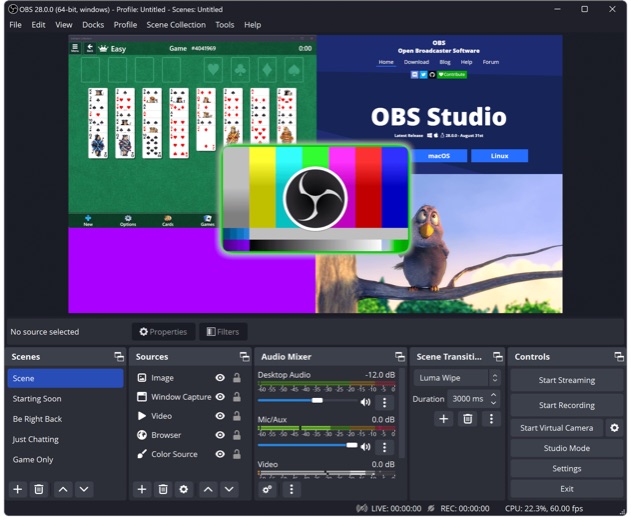
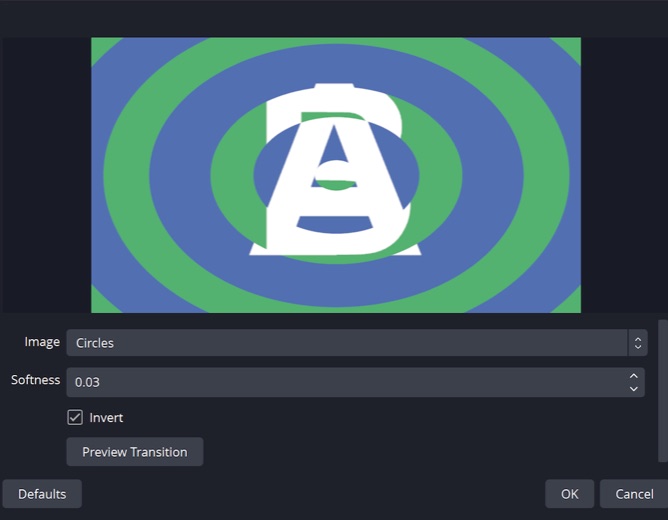
OBS Studio builds a video feed out of scenes. Each scene can mix window captures, images, text, browser pages, webcams and capture cards, and the result can be saved as a recording or sent to a streaming service. Switching scenes uses transitions, so a stream can move from a full-screen game to a webcam view without stopping.
The program is developed in the open. Its GitHub repository carries the GPL-2.0 license, the project was created and is maintained by Lain together with the OBS Studio contributors, and the OBS name is a trademark of Wizards of OBS LLC. Downloads come from obsproject.com, with the Microsoft Store and Steam listed as alternatives.
There is no phone version from the OBS Project. OBS Studio is a desktop application.
Key features
- Unlimited scenes built from multiple sources, with transitions between them.
- An audio mixer with filters for each source and support for VST plugins.
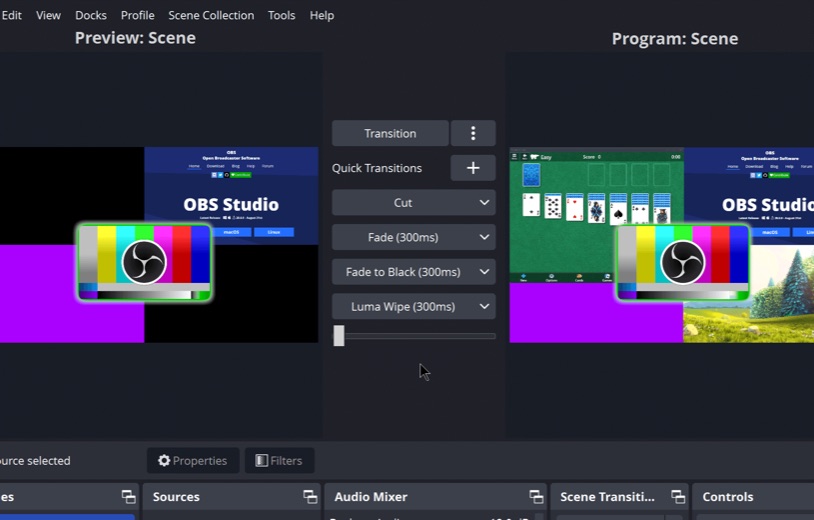
- Studio Mode, which lets a scene be previewed and adjusted before it goes live.
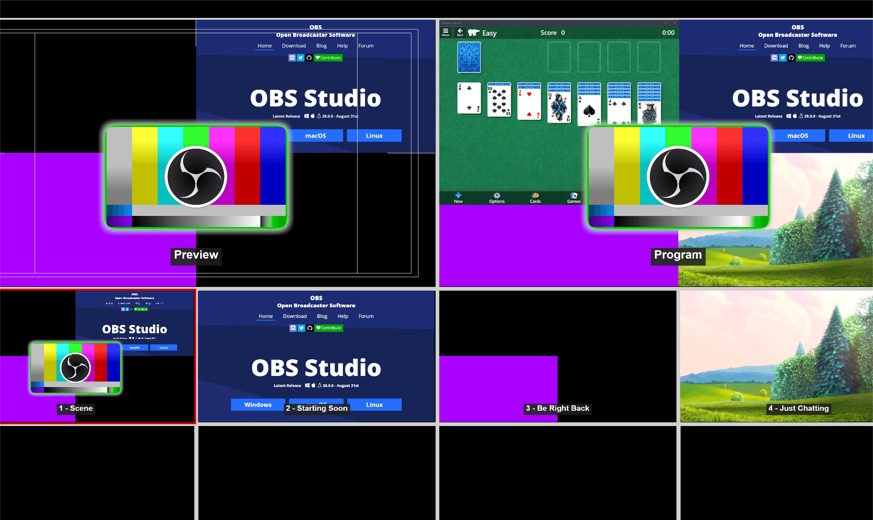
- A Multiview window that shows 8 scenes at once for quick switching.
- Hotkeys for most actions, such as switching scenes or starting a recording.
- Version 33.0 updated the browser-source framework to CEF 150, reworked plugin loading and enabled NVENC encoding on Arm64.
More Tools & Utilities reviews




More news
- What's newGoogle Photos Update: Enhanced Search and Smarter Storage ManagementRecent updates to Google Photos bring a more powerful search experience to users and introduce a new tool to manage storage more efficiently, according to recent store listings.
- What's newWells Fargo Mobile: October 2026 Update Enhances Credit Card InsightsThe Wells Fargo Mobile app has received an update in October 2026, focusing on enhanced accessibility for personalized insights within credit card account details. LookedApp examines what this means for users and provides a refresher on the app's comprehensive banking functionalities.
- What's newWhat's New in Microsoft OneDrive: A Look at Recent UpdatesMicrosoft OneDrive has received significant updates across both iOS and Android platforms, enhancing file management, photo organization, and app stability. These changes reflect an ongoing commitment to providing a comprehensive cloud storage solution for users.



PC requirements
On Windows, the developer supports Windows 10 and 11. The Microsoft Store listing adds two details: a 64-bit (x64) PC and DirectX 11. Installing requires administrator permission, but running the program does not.
On a Mac, OBS Studio needs macOS 13.0 or newer, and the developer offers separate installers for Intel and Apple Silicon. Linux users get a Flatpak on Flathub or a PPA for Ubuntu 26.04 and newer. The developer does not publish a minimum amount of memory or a specific graphics card.
OBS Studio at a glance
| Developer | OBS Project |
|---|---|
| Category | Tools & Utilities |
Pricing
OBS Studio costs nothing on any platform. The Microsoft Store lists it as free, and the developer describes it as free and open source software. There are no paid tiers or in-app purchases.
OBS Studio compared with similar apps
| App | Rating | Installs | Price |
|---|---|---|---|
 OBS Studio | – | – | – |
 FOX One | 4.7 | 1M+ | Free |
 NFHS Network | 4.2 | 500K+ | Free |
 PineDrama | 4.6 | 50M+ | Free |
Popular reviews
 Google Maps Go reviewGoogle Maps Go is a specialized navigation application designed for Android users. It serves as a lighter alternative…Tools & Utilities
 Tolls NY (E-ZPass NY) reviewTolls NY (E-ZPass NY) is a mobile application designed for E-ZPass NY and Tolls by Mail customers to manage their…Tools & Utilities
 Wells Fargo Mobile reviewThe Wells Fargo Mobile app offers a comprehensive suite of banking and financial management tools for customers with…Tools & Utilities
 MyHumana reviewMyHumana is Humana's member app for coverage details, claims, drug prices and ID cards. It only works with an active…Tools & Utilities
 Creality Cloud reviewCreality Cloud is a phone app and web platform for finding 3D models, slicing them in the cloud and sending jobs to a…Tools & Utilities
- Baby Buddy for Android reviewBaby Buddy for Android is a companion application designed for caregivers to track a baby's activities, including…Tools & Utilities
How to get OBS Studio safely
Get the installer from obsproject.com or from one of the stores the developer lists there: the Microsoft Store entry published by OBS Project, or Steam. The developer also offers a ZIP package and BitTorrent links. Pages that rebundle OBS behind their own download buttons add risk without adding anything.
Plugins are a separate decision. OBS Studio can load third-party plugins, and each one runs with the same access as the program, so they are best taken from sources whose authors can be identified.
Who OBS Studio is for
Streamers on Twitch, YouTube and similar services are the obvious audience, but OBS Studio is just as useful offline: recording tutorials, game clips, online classes or video calls. Anyone who wants several sources on screen at once will find the scene system flexible.
Newcomers should expect a learning curve. The settings panel exposes a lot of detail, and a simple screen recording takes more setup here than in a single-purpose recorder.
Pros
- Free and open source under GPL-2.0, with no paid tier.
- Runs on Windows, macOS and Linux.
- Scenes, transitions, Studio Mode and Multiview give real production control.
- Strong Microsoft Store rating of 4.7 from 3,530 ratings.
- Recent release: version 33.0.1 on October 29, 2026.
Cons
- No mobile app from the OBS Project.
- Windows builds need a 64-bit PC with DirectX 11.
- Mac support starts at macOS 13.0, so older Macs are left out.
- Many settings to learn before the first stream.
OBS Studio: frequently asked questions
Is OBS Studio free?
Yes. It is free and open source, licensed under GPL-2.0, with no subscriptions or paid add-ons from the project.
Does OBS Studio work on Windows 10?
Yes. The developer supports Windows 10 and 11. The Microsoft Store listing also calls for a 64-bit PC and DirectX 11.
Can OBS Studio run on a Mac?
Yes, on macOS 13.0 and newer. There are separate installers for Intel and Apple Silicon Macs.
Where should OBS Studio be downloaded from?
From obsproject.com, or from the Microsoft Store or Steam listings the developer names. Avoid third-party download pages.
What is the latest version?
Version 33.0.1, released on October 29, 2026, a few days after 33.0.0 arrived on October 23, 2026.
Is there an OBS Studio phone app?
No. The OBS Project makes OBS Studio for Windows, macOS and Linux only.
OBS Studio
- Category
- Tools & Utilities
- Version