
Snipping Tool
Tools & UtilitiesScreenshots
Analysis by LookedApp · Published · Updated
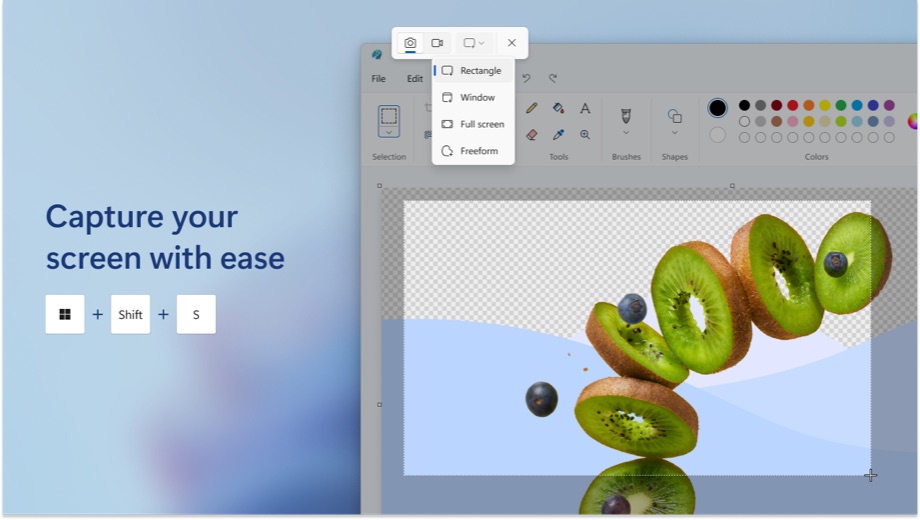
Snipping Tool is the screenshot app built into Windows, and on Windows 11 it also records the screen. Pressing Windows logo key + Shift + S is usually all it takes, and if the app has gone missing, the free Microsoft Store listing puts it back.
What is Snipping Tool?
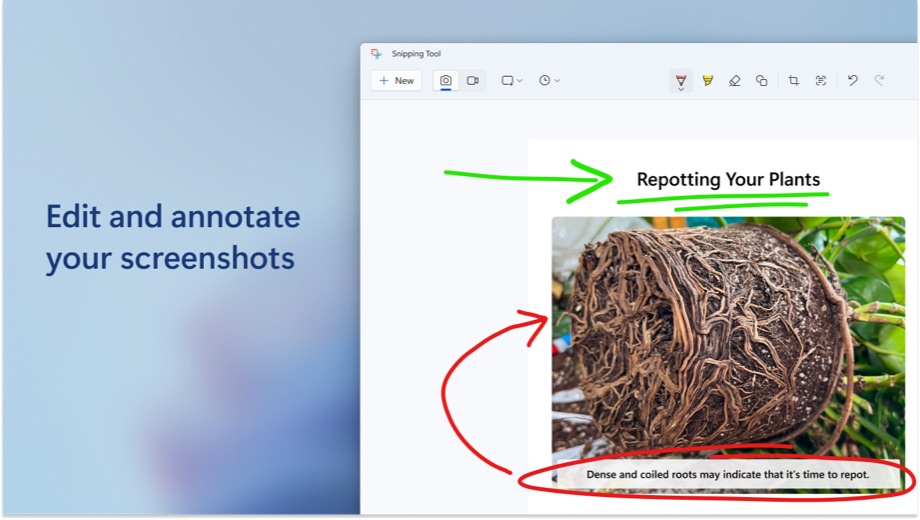
Snipping Tool captures part or all of the screen and lets the result be marked up, copied or saved. Microsoft first released it in 2002 as a PowerToy for Tablet PCs. The current app took over from Snip & Sketch in a Windows 11 Insider build on August 12, 2021, and it has picked up screen recording and text recognition since then.
It is not a separate product to buy or a website. It ships with Windows, and Microsoft also publishes it on the Microsoft Store, where it can be reinstalled or updated. That listing was updated on November 16, 2026 and holds a 4.0 rating from 16,636 ratings.
Key features
- Four capture modes: Rectangle, Window, Full screen and Freeform.
- A delay timer of 1 to 5 seconds, set with Alt+D, for capturing menus that close on a click.
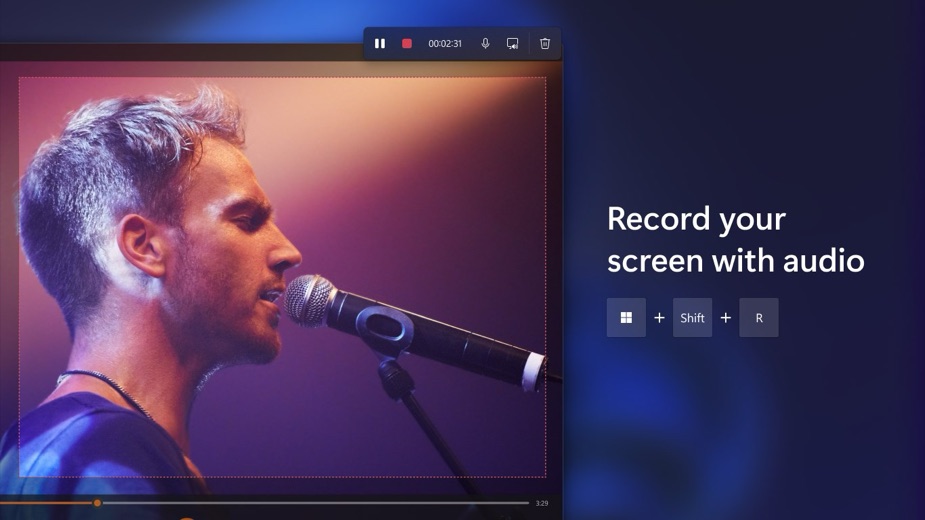
- Video clips of the screen on Windows 11, started with Win+Shift+R, with system audio or a microphone.
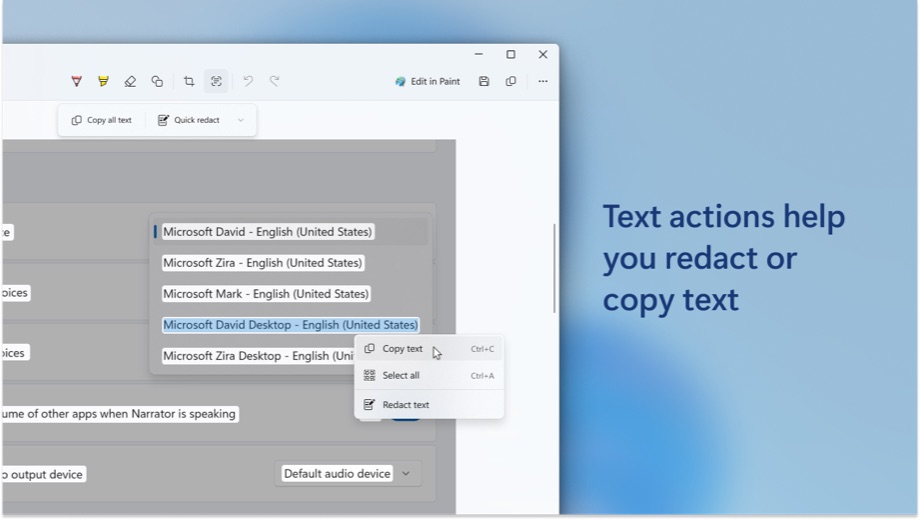
- Text actions on Windows 11 that copy text from a capture or hide emails and phone numbers, with recognition done on the device.
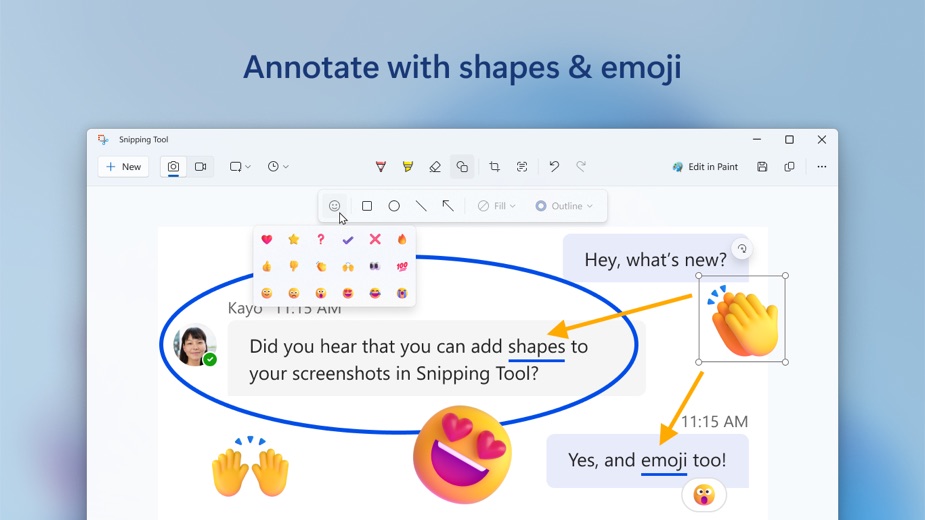
- Shapes, emojis and Visual Search with Bing in recent versions.
- Automatic saving to the Screenshots folder on Windows 11, which can be changed in Settings.
More Tools & Utilities reviews




More news
- What's newGoogle Photos Update: Enhanced Search and Smarter Storage ManagementRecent updates to Google Photos bring a more powerful search experience to users and introduce a new tool to manage storage more efficiently, according to recent store listings.
- What's newWells Fargo Mobile: October 2026 Update Enhances Credit Card InsightsThe Wells Fargo Mobile app has received an update in October 2026, focusing on enhanced accessibility for personalized insights within credit card account details. LookedApp examines what this means for users and provides a refresher on the app's comprehensive banking functionalities.
- What's newWhat's New in Microsoft OneDrive: A Look at Recent UpdatesMicrosoft OneDrive has received significant updates across both iOS and Android platforms, enhancing file management, photo organization, and app stability. These changes reflect an ongoing commitment to providing a comprehensive cloud storage solution for users.



Platforms and editions
The new Snipping Tool is for Windows 11 only. On Windows 10, the Microsoft Store installs the older Snip & Sketch instead, and the features Microsoft marks as Windows 11 only, such as video clips and text actions, are not part of it. The app supports x86, x64, Arm and Arm64 PCs.
There is no Snipping Tool for Mac. macOS has its own shortcuts: Shift-Command-3 captures the whole screen, Shift-Command-4 captures a selection, and Shift-Command-5 opens the Screenshot app. No browser-based Snipping Tool exists from Microsoft either.
Snipping Tool at a glance
| Developer | Microsoft Corporation |
|---|---|
| Category | Tools & Utilities |
Pricing
Snipping Tool is free. It comes with Windows, and the Microsoft Store lists it at no cost. No paid version or add-on is offered.
Snipping Tool compared with similar apps
| App | Rating | Installs | Price |
|---|---|---|---|
 Snipping Tool | – | – | – |
 Amtrak | 4.7 | 5M+ | Free |
 Apple Devices | – | – | – |
 Audacity | – | – | – |
Popular reviews
 Google Maps Go reviewGoogle Maps Go is a specialized navigation application designed for Android users. It serves as a lighter alternative…Tools & Utilities
 Tolls NY (E-ZPass NY) reviewTolls NY (E-ZPass NY) is a mobile application designed for E-ZPass NY and Tolls by Mail customers to manage their…Tools & Utilities
 Wells Fargo Mobile reviewThe Wells Fargo Mobile app offers a comprehensive suite of banking and financial management tools for customers with…Tools & Utilities
 MyHumana reviewMyHumana is Humana's member app for coverage details, claims, drug prices and ID cards. It only works with an active…Tools & Utilities
- Baby Buddy for Android reviewBaby Buddy for Android is a companion application designed for caregivers to track a baby's activities, including…Tools & Utilities
 MyChart reviewMyChart is an application designed to provide users with direct access to their personal health information and…Tools & Utilities
How to get Snipping Tool safely
There is normally nothing to download: search for snipping tool from the Start button, or press Win+Shift+S. If it has been removed, reinstall it from the Microsoft Store listing published by Microsoft Corporation.
Third-party sites offering a Snipping Tool download for PC are repackaging, or imitating, a free Windows app. They add risk and nothing else. The same goes for browser pages that claim to be an online Snipping Tool: Microsoft does not make one, and anything typed or captured there leaves the PC.
Who Snipping Tool is for
Anyone on Windows who needs a quick screenshot: students saving a slide, office workers sending a bug report, or someone grabbing a receipt from a web page. The Windows 11 recording option also covers short how-to clips without extra software.
People who need scrolling captures or heavy editing may want a dedicated tool, since the listing does not mention those features. On a Mac, the built-in Screenshot app fills the same role, so there is nothing to install there either.
Pros
- Built into Windows and free.
- Fast keyboard shortcuts for images and video.
- Text recognition runs on the device.
- Runs on x86, x64, Arm and Arm64 PCs.
Cons
- The full current version is Windows 11 only.
- No Mac or web version.
- Store rating is a middling 4.0.
Snipping Tool: frequently asked questions
What is the fastest way to open Snipping Tool?
Press Windows logo key + Shift + S for an image snip, or search for snipping tool from the Start button. Print Screen copies the full screen to the clipboard.
Is Snipping Tool free?
Yes. It is part of Windows, and the Microsoft Store lists it as free.
Does Snipping Tool work on Windows 10?
The new version is Windows 11 only. On Windows 10, the Microsoft Store installs Snip & Sketch instead.
Can Snipping Tool record the screen?
Yes, on Windows 11. Press Win+Shift+R to start a video clip, with system audio or a microphone.
Is there a Snipping Tool for Mac?
No. Macs use Shift-Command-3, Shift-Command-4 or Shift-Command-5 instead.
Where are screenshots saved?
On Windows 11, in the Screenshots folder by default. The location can be changed in Settings.
Snipping Tool
- Category
- Tools & Utilities
- Version