Messages
CommunicationScreenshots
Analysis by LookedApp · Published
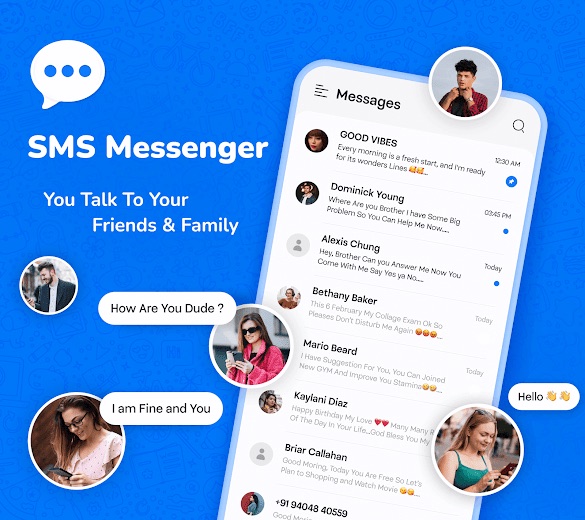
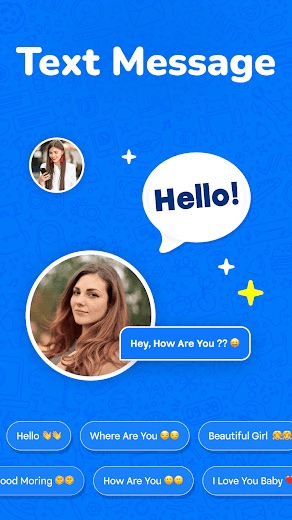
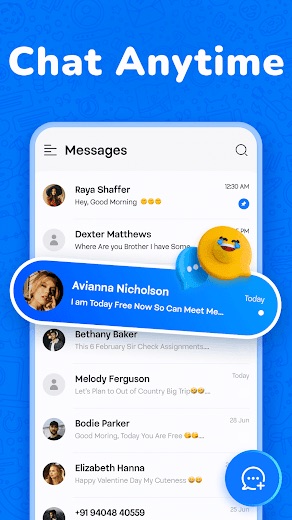
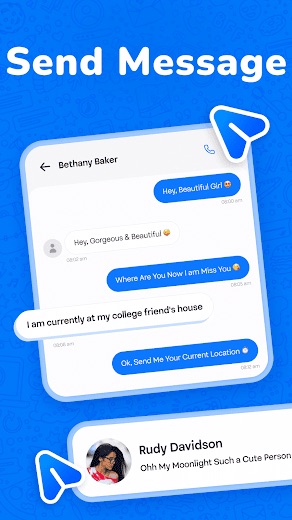
Messages is a fast, simple texting app for Android that sends and receives SMS with anyone, whatever phone they use. Spam blocking, scheduled texts, themes and dual SIM support make it a handy everyday replacement for the stock messaging app, and it costs nothing to install.
What is Messages?
Messages is an SMS app for Android phones from the developer Text and SMS Messaging apps. It arrived on Google Play on September 10, 2025, in the Communication category, and is rated Everyone. The idea is straightforward: one clean inbox for every text conversation, with quick sending and no learning curve.
Because it works over regular SMS, the person on the other end does not need the same app or even the same kind of phone. Texts go to Android phones, iPhones and basic phones alike, which is what most people want from a messaging app in the first place.
Once installed, Messages becomes the phone's default SMS app, so every incoming and outgoing text runs through it. The developer keeps a website at bluecoat.jsappmedia.xyz with an overview of the features and a contact address.
Is this the real Messages app?
| Developer on Google Play | Text and SMS Messaging apps |
|---|---|
| Android package name | com.chatbox.smsmessages.textsmsapp |
| On the stores since | Sep 10, 2025 |
| Installs on Google Play | 1,000,000+ |
| Content rating | Google Play: Everyone |
These details come from the public store listings. LookedApp doesn't host downloads: install from the Google Play or App Store buttons on this page.
Key features
- Quick SMS sending and receiving, built for speed on everyday chats.
- Spam protection that blocks unwanted messages and the numbers sending them.
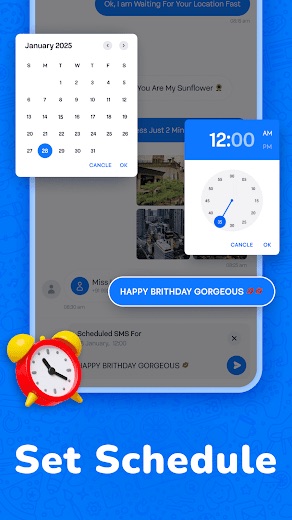
- Scheduled SMS, so a message can be written now and sent later.
- Organized conversations in a single inbox that is easy to scan.
- Themes that change the look of the app to suit personal taste.
- Dual SIM support for phones that carry two numbers.
More Productivity & Email reviews


More news
- What's newGoogle Photos Update: Enhanced Search and Smarter Storage ManagementRecent updates to Google Photos bring a more powerful search experience to users and introduce a new tool to manage storage more efficiently, according to recent store listings.
- What's newWells Fargo Mobile: October 2026 Update Enhances Credit Card InsightsThe Wells Fargo Mobile app has received an update in October 2026, focusing on enhanced accessibility for personalized insights within credit card account details. LookedApp examines what this means for users and provides a refresher on the app's comprehensive banking functionalities.
- What's newWhat's New in Microsoft OneDrive: A Look at Recent UpdatesMicrosoft OneDrive has received significant updates across both iOS and Android platforms, enhancing file management, photo organization, and app stability. These changes reflect an ongoing commitment to providing a comprehensive cloud storage solution for users.



Privacy and permissions
As a full SMS app, Messages asks for the access any texting app needs. Google Play lists contacts, device ID and call information, phone, photos and files, SMS, storage and Wi-Fi connection information. That set matches what a default texting app uses to read, send and organize SMS.
On the data safety side, the developer states that the app collects no data and that data is encrypted in transit. The same section lists some data types that may be shared with third parties and notes that there is no way to request deletion, so it is worth a look before installing.
Text and SMS Messaging apps publishes its privacy policy at sites.google.com.
Messages permissions in plain English
The Google Play listing shows 7 permission groups. Google Play also lists 9 other permissions, such as “view network connections”. That is about as many as most productivity & email apps LookedApp reviews (typical: 7).
- ContactsCan read your contacts
- Device ID & call informationCan read your device ID and call status
- PhoneCan read phone status or make calls
- Photos/Media/FilesCan read and change your photos, media and files
- SMSCan read or send text messages
- StorageCan read and change files in shared storage
- Wi-Fi connection informationCan see Wi-Fi connection details
Permission names come from Google Play; the plain-English lines describe what each permission group allows, not how this app uses it.
Messages at a glance
| Developer | Text and SMS Messaging apps |
|---|---|
| Category | Communication |
| Rating on Google Play | 3.8 out of 5 (15K ratings) |
| Installs on Google Play | 1M+ |
| Price | Free |
| Age rating | Everyone |
Pricing
Messages is free to download and use for regular texting. Google Play notes that the app contains ads and offers in-app purchases. Texts are sent through the phone's carrier, so they are covered by the existing phone plan.
Messages compared with similar apps
| App | Rating | Installs | Price |
|---|---|---|---|
 Messages | 3.8 | 1M+ | Free |
 OmeTV | 4.0 | 100M+ | Free |
 Skool | 4.3 | 5M+ | Free |
 Amazon A to Z | 4.7 | 5M+ | Free |
Popular reviews
 Gmail reviewGmail provides a comprehensive email management experience with advanced artificial intelligence capabilities and…Productivity & Email
 Email for Outlook, Hotmail reviewEmail for Outlook, Hotmail is a third-party Android mail client for Outlook.com and Hotmail addresses. Microsoft does…Productivity & Email
 Citrix Workspace reviewCitrix Workspace, the app once called Citrix Receiver, is the free client that opens an organization's virtual desktops…Productivity & Email
 DYMO Connect reviewDYMO Connect is DYMO's label design software, and the version most people need is DYMO Connect for Desktop on Windows…Productivity & Email
 Microsoft Teams reviewMicrosoft Teams is a comprehensive communication and collaboration application designed to bring individuals together…Productivity & Email
 Microsoft Outlook reviewMicrosoft Outlook is a comprehensive mobile application designed for email and calendar management, enabling users to…Productivity & Email
How to get Messages safely
Getting started takes 3 steps, as the developer lays them out: install Messages from Google Play, choose it as the default SMS app when the phone asks, and start texting.
The Google Play listing published by Text and SMS Messaging apps is the place to get it. Installing from there means updates arrive through the store, and it avoids altered copies passed around on download sites.
How to install Messages
On Android (Google Play)
- Open the Google Play Store app on your Android phone or tablet.
- Search for Messages, or use the Google Play button on this page to open the listing directly.
- Check that the developer under the app name is Text and SMS Messaging apps.
- Tap Install (or the price, for a paid app) and wait for the download to finish, then open the app from your home screen.
- The listing shows in-app purchases, so review any purchase prompts before you confirm.
Messages version and app details
| Google Play | |
|---|---|
| First released | Sep 10, 2025 |
| Package name | com.chatbox.smsmessages.textsmsapp |
| Content rating | Everyone |
| In-app purchases | Yes ($1.99 - $24.99 per item) |
| Contains ads | Yes |
| Developer | Text and SMS Messaging apps |
Who Messages is for
Messages suits Android users who want a lighter, faster texting app with a few useful extras: a spam filter for unwanted texts, scheduled messages for reminders and birthday wishes, and themes for a fresh look. People with two SIM cards get easy switching between numbers in one place.
It is also a good pick for anyone who simply wants a clean, no-fuss inbox for SMS that runs on plain SMS rather than a separate chat service.
Pros
- Free to install
- Spam blocking for unwanted texts and senders
- Scheduled SMS for messages sent later
- Dual SIM support
- Works with any phone that receives SMS
Cons
- The app shows ads
- Some extras sit behind in-app purchases
- Android only, with no iPhone version
- 3.8 average from 14.6K ratings on Google Play
Messages: frequently asked questions
Is the Messages app free?
Yes. Messages is free to download and use. Google Play notes that it contains ads and offers optional in-app purchases.
What features does Messages offer?
Quick SMS sending and receiving, spam blocking, scheduled SMS, organized conversations, themes and dual SIM support.
Can Messages text people who use a different phone?
Yes. It sends regular SMS, so messages reach anyone with a phone number, whatever device they use.
How is Messages set up?
Install it from Google Play, set it as the default SMS app when prompted, and start messaging.
Is Messages available for iPhone or PC?
Messages is an Android app on Google Play. The listing does not offer an iPhone or computer version.
How can the developer be contacted?
The developer, Text and SMS Messaging apps, lists bluecoatinfotech@gmail.com as its contact address.
Messages
- Category
- Communication
- Version
- Varies with device
Download
Messages ratings breakdown
Google Play 3.8 average from 14,644 ratings
- 558%
- 412%
- 36%
- 24%
- 120%
Share of ratings for each star level, as shown on the listings, as of Oct 22, 2026.