Epson DocumentScan
ProductivityScreenshots
Analysis by LookedApp · Published · Updated
Epson DocumentScan sends scans from a supported Epson document scanner straight to an iPhone, iPad or Android phone, then on to email or cloud storage. It works only with the 15 Epson models on its list, and its store ratings are low, so check the scanner first.
What is Epson DocumentScan?
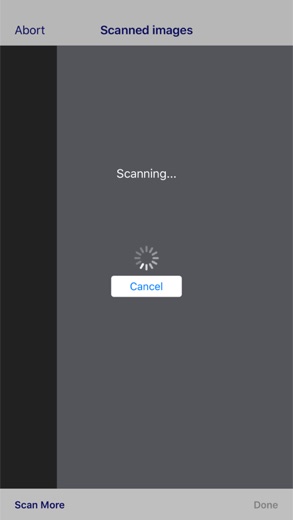
Seiko Epson Corporation publishes Epson DocumentScan as a companion for its document scanners. The phone finds the scanner on the same Wi-Fi network or connects to it directly, and scanned pages land on the device rather than on a computer.
It is an older app: it arrived on Google Play in March 2014 and on the App Store a day later. Updates continue, with Google Play refreshed on September 3, 2026 and the App Store at version 1.9.1 on October 22, 2026. Ratings are weak at 3.0 from about 3K on Google Play and 1.8 from 122 on the App Store.
Epson makes several scanning apps. Epson Smart Panel is a separate Epson app, and on a computer Epson's scanning software is Epson ScanSmart.
Is this the real Epson DocumentScan app?
- Verified publisher infoSame developer on Google Play and the App Store (Seiko Epson Corporation), and the developer website epson.com matches the publisher.
- Established since 2014Listed since Mar 5, 2014, 1,000,000+ installs on Google Play.
| Developer on Google Play | Seiko Epson Corporation |
|---|---|
| Developer on the App Store | Seiko Epson Corporation |
| Same developer on both stores | Yes |
| Android package name | com.epson.documentscan |
| iOS bundle ID | com.epson.mobilephone.DocumentScan |
| On the stores since | Mar 5, 2014 |
| Installs on Google Play | 1,000,000+ |
| Developer website | epson.com |
| Content rating | Google Play: Everyone / App Store: 4+ |
These details come from the public store listings. LookedApp doesn't host downloads: install from the Google Play or App Store buttons on this page.
Key features
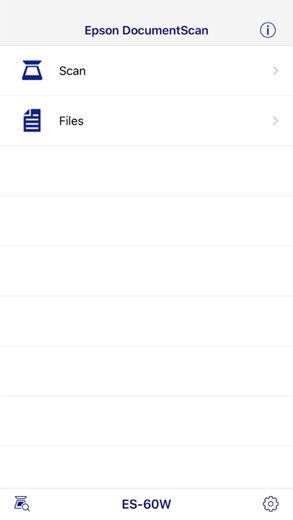
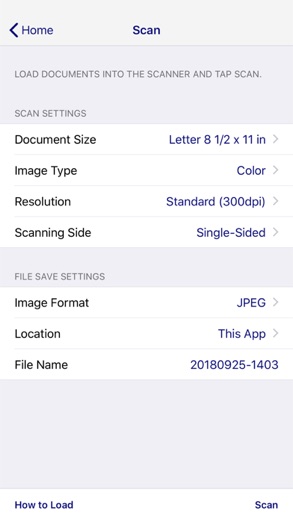
- Scanning settings for document size, image type, resolution and one- or two-sided pages.
- Automatic size and image type detection.
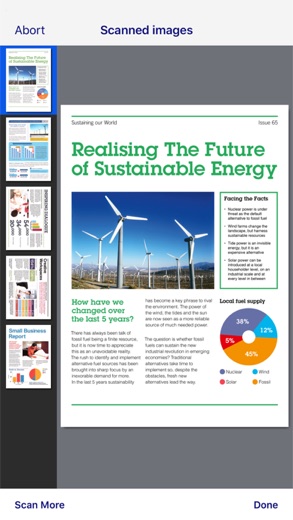
- Page editing: rotate pages and change their order, including several at once.
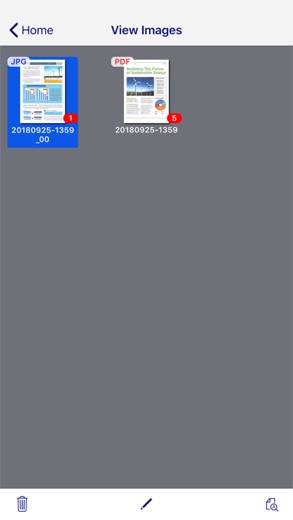
- Sharing by email, to other apps, or to Box, Dropbox, Evernote, Google Drive and OneDrive.
- Two connection methods: through a Wi-Fi network, or direct to the scanner without a router.
- A built-in FAQ section for help.
More Productivity & Email reviews

More news
- What's newGoogle Photos Update: Enhanced Search and Smarter Storage ManagementRecent updates to Google Photos bring a more powerful search experience to users and introduce a new tool to manage storage more efficiently, according to recent store listings.
- What's newWells Fargo Mobile: October 2026 Update Enhances Credit Card InsightsThe Wells Fargo Mobile app has received an update in October 2026, focusing on enhanced accessibility for personalized insights within credit card account details. LookedApp examines what this means for users and provides a refresher on the app's comprehensive banking functionalities.
- What's newWhat's New in Microsoft OneDrive: A Look at Recent UpdatesMicrosoft OneDrive has received significant updates across both iOS and Android platforms, enhancing file management, photo organization, and app stability. These changes reflect an ongoing commitment to providing a comprehensive cloud storage solution for users.



Privacy and permissions
On Android, the app asks for Location and Wi-Fi connection information, which fits its job of finding a scanner on the network or connecting to it directly. Neither listing mentions an account or sign-in. The App Store listing does not show a permissions list the way Google Play does, so iPhone users will see requests only as the app asks for them.
Scans go wherever the user sends them: email, another app or a cloud service. Those services have their own privacy terms, so sensitive documents are best saved only to accounts already trusted.
Seiko Epson Corporation publishes its privacy policy at support.epson.net.
Epson DocumentScan permissions in plain English
The Google Play listing shows 2 permission groups. Google Play also lists 6 other permissions, such as “view network connections”. That is fewer than most productivity & email apps LookedApp reviews (typical: 7).
- LocationCan use your precise location
- Wi-Fi connection informationCan see Wi-Fi connection details
Permission names come from Google Play; the plain-English lines describe what each permission group allows, not how this app uses it.
Epson DocumentScan at a glance
| Developer | Seiko Epson Corporation |
|---|---|
| Category | Productivity |
| Rating on App Store | 1.8 out of 5 (122 ratings) |
| Rating on Google Play | 3.0 out of 5 (3K ratings) |
| Installs on Google Play | 1M+ |
| Price | Free |
| Age rating | 4+ |
What changed in the latest Epson DocumentScan version
App Store · Version 1.9.1, released Oct 22, 2026
The release notes are general and don't list specific changes:
“Fixed minor bugs.”
Google Play · Listing updated Sep 3, 2026
The release notes are general and don't list specific changes:
“This release brings some improvements to make the app more stable.”
Quoted from the store listings' release notes.
Pricing
Epson DocumentScan is free on both stores, and Google Play lists no in-app purchases. There is no subscription, account tier or paid export option mentioned on either listing, and cloud uploads use the user's existing Box, Dropbox, Evernote, Google Drive or OneDrive storage.
Epson DocumentScan compared with similar apps
| App | Rating | Installs | Price |
|---|---|---|---|
 Epson DocumentScan | 3.0 | 1M+ | Free |
 Amtrak | 4.7 | 5M+ | Free |
 Apple Devices | – | – | – |
 Audacity | – | – | – |
Popular reviews
 Messages reviewMessages is a fast, simple texting app for Android that sends and receives SMS with anyone, whatever phone they use.…Productivity & Email
 Manage My Wedding reviewManage My Wedding is a free, compact wedding planner from wedding planner Yvette Sitters, covering checklists, budget…Productivity & Email
 Gmail reviewGmail provides a comprehensive email management experience with advanced artificial intelligence capabilities and…Productivity & Email
 Email for Outlook, Hotmail reviewEmail for Outlook, Hotmail is a third-party Android mail client for Outlook.com and Hotmail addresses. Microsoft does…Productivity & Email
 Citrix Workspace reviewCitrix Workspace, the app once called Citrix Receiver, is the free client that opens an organization's virtual desktops…Productivity & Email
 DYMO Connect reviewDYMO Connect is DYMO's label design software, and the version most people need is DYMO Connect for Desktop on Windows…Productivity & Email
How to get Epson DocumentScan safely
Install it from the App Store or Google Play listing published by Seiko Epson Corporation. For a computer, Epson says ScanSmart must be installed from the scanner's Drivers and Utilities Combo Package, found by searching the model on Epson's support site. Driver mirror sites are unnecessary.
Before installing, compare the scanner model with Epson's list: DS-40, DS-80W, DS-360W, DS-560, DS-570W, DS-575W, DS-1660W, ES-60W, ES-65WR, ES-300W, ES-300WR, ES-500W, ES-500WR, FF-680W and RR-70W. Epson notes that not every model is sold in every region.
How to install Epson DocumentScan
On Android (Google Play)
- Open the Google Play Store app on your Android phone or tablet.
- Search for Epson DocumentScan, or use the Google Play button on this page to open the listing directly.
- Check that the developer under the app name is Seiko Epson Corporation.
- Check that your device meets the listing's requirement: Android 10 and up.
- Tap Install (or the price, for a paid app) and wait for the download to finish, then open the app from your home screen.
On iPhone and iPad (App Store)
- Open the App Store on your iPhone or iPad.
- Search for Epson DocumentScan, or use the App Store button on this page to open the listing directly.
- Check that the developer under the app name is Seiko Epson Corporation.
- Make sure your device has iOS 16.0 or later and about 21 MB of free space, as the listing states.
- Tap Get (or the price), confirm the download, then open the app from your home screen.
Epson DocumentScan version and app details
| Google Play | App Store | |
|---|---|---|
| Latest version | – | 1.9.1 |
| Last updated | Sep 3, 2026 | Oct 22, 2026 |
| First released | Mar 5, 2014 | Mar 6, 2014 |
| Package name | com.epson.documentscan | – |
| Bundle ID | – | com.epson.mobilephone.DocumentScan |
| Requires | Android 10 and up | iOS 16.0 or later |
| Download size | – | 21 MB |
| Content rating | Everyone | 4+ |
| In-app purchases | No | – |
| Contains ads | No | – |
| Languages | – | 11 (including English) |
| Developer | Seiko Epson Corporation | Seiko Epson Corporation |
Who Epson DocumentScan is for
Owners of one of the listed Epson scanners who want pages on a phone or in cloud storage without turning on a computer, such as small offices scanning receipts or home users digitizing paperwork. Two-sided scanning and automatic size detection help with mixed stacks of paper.
Owners of Epson scanners that are not on the list need other Epson software; on a computer that is ScanSmart, from the scanner's support page.
Pros
- Free, with no in-app purchases on Google Play.
- Scans directly to a phone over Wi-Fi or a direct connection.
- Sends to five major cloud services and email.
- Still updated in 2026.
Cons
- Works only with 15 Epson scanner models.
- Low ratings: 1.8 on the App Store and 3.0 on Google Play.
- No computer version; PCs use ScanSmart instead.
Epson DocumentScan: frequently asked questions
Which scanners work with Epson DocumentScan?
The 15 Epson models on Epson's support list, including the DS-80W, DS-1660W, ES-60W, ES-500W, FF-680W and RR-70W. Not every model is sold in every region.
Is Epson DocumentScan free?
Yes. Both stores list it at no cost, and Google Play shows no in-app purchases.
Is there an Epson DocumentScan for Windows or Mac?
No. On a computer, Epson uses ScanSmart, installed from the scanner's Drivers and Utilities Combo Package.
Does it need a Wi-Fi network?
No. It can connect through a Wi-Fi network or directly to the scanner.
What is the difference from Epson Smart Panel?
They are separate Epson apps. DocumentScan is limited to the 15 document scanners Epson lists for it, so a scanner outside that list needs different Epson software.
Epson DocumentScan
- Category
- Productivity
- Version
- 1.9.1
Download
Looking for the Epson DocumentScan website or sign-in? Go to epson.com →The developer's website, as given on the store listing.
Epson DocumentScan ratings breakdown
Google Play 3.0 average from 2,980 ratings
- 539%
- 49%
- 34%
- 24%
- 144%
App Store 1.8 average from 122 ratings
- 511%
- 44%
- 39%
- 210%
- 166%
Share of ratings for each star level, as shown on the listings, as of Oct 23, 2026.